Quick-Reference CRM Audit Checklist
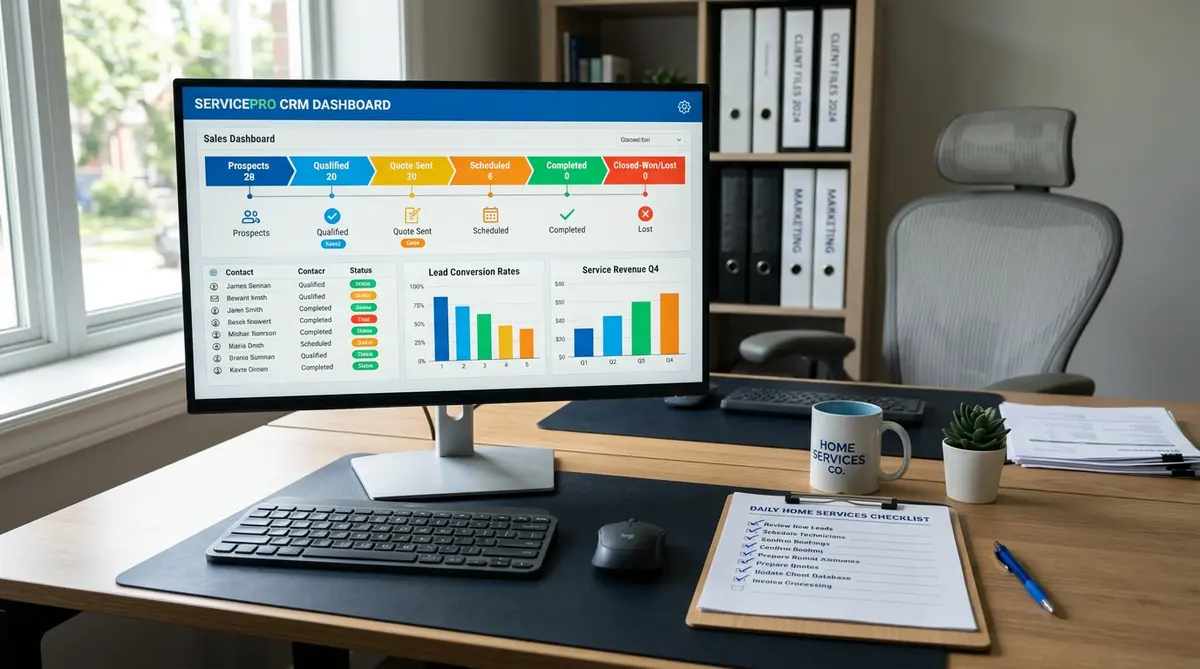
Use this condensed list as a printable reference. Each item maps to a detailed section below.
- Verify all active contacts have complete, accurate records
- Identify and merge duplicate customer entries
- Confirm every open lead has a pipeline stage assigned
- Audit all leads added in the last 90 days for follow-up activity
- Check that every estimate sent has a follow-up task attached
- Verify automated follow-up sequences are active and sending correctly
- Confirm appointment reminder automations are functioning
- Review which automations have zero or low engagement rates
- Test lead capture forms and CRM integrations for data accuracy
- Confirm revenue and job data is properly tagged by service type
- Review pipeline conversion rates by stage for the last 90 days
- Identify stale leads (no activity in 30+ days) and action them
- Audit user permissions and staff CRM access levels
- Verify technician and office staff are logging job notes consistently
- Confirm your CRM is tracking lead source for every new contact
- Review customer lifetime value data and upsell/cross-sell tags
- Check that repeat customer and maintenance plan contacts are segmented
- Assess reporting dashboards for accuracy and relevance
- Confirm CRM integrates correctly with scheduling and dispatch software
- Document any broken workflows, missing data, or process gaps found
Who This Checklist Is For — and When to Use It
This CRM audit checklist is built for owners and operations managers at home services companies — HVAC, plumbing, landscaping, electrical, and similar trades — who already have a CRM in place but suspect it isn't working as hard as it should. If you've read our guide on CRM audit and revenue generation for home services, this is the hands-on tool that turns that strategy into action.
Use this checklist quarterly at minimum, or immediately if you're experiencing any of the following: a slow revenue month you can't explain, leads that seem to vanish after the estimate stage, reports that don't match your actual bookings, or staff who can't agree on how to log customer interactions. A structured CRM health check takes two to four hours for most small operations and consistently uncovers recoverable revenue that was simply slipping through the cracks.
Each item below includes a brief explanation of why it matters and exactly how to complete it. Work through the sections in order — they're arranged from foundational data quality through pipeline management, automation, team adoption, and reporting.
Section 1: CRM Data Quality and Contact Records
CRM data quality is the foundation every other audit item depends on. Dirty data — duplicates, missing fields, outdated contact details — makes every downstream report, automation, and follow-up less reliable. In our analysis of home services CRM accounts, incomplete contact records are the single most common finding, affecting an estimated 30–40% of active contact databases.
[ ] Verify all active contacts have complete, accurate records
Why it matters: Incomplete records mean automations skip contacts, technicians lack job history, and office staff make preventable service errors.
How to complete: Run a contact completeness report in your CRM. Flag any record missing a phone number, email, service address, or last job date. Most platforms — from Zoho CRM to GoHighLevel — have a built-in field completion filter. Set a threshold: 100% of active customers should have phone, address, and at least one completed job record.
Common mistake: Auditing only recent contacts and ignoring records older than 12 months — these often contain your highest-value repeat customers.
[ ] Identify and merge duplicate customer entries
Why it matters: Duplicate records split job history, distort customer lifetime value calculations, and cause double follow-ups that frustrate customers.
How to complete: Use your CRM's duplicate detection tool or sort contacts by phone number and last name to surface matches manually. Merge records, preserving the oldest entry as the master record to retain full job history.
Common mistake: Deleting the duplicate instead of merging — deletion permanently removes associated job notes and activity history.
[ ] Confirm your CRM is tracking lead source for every new contact
Why it matters: Without lead source data, you can't calculate marketing ROI or know which channels — Google Ads, referrals, door hangers — are actually producing revenue. This is a core requirement of any functional CRM for contractors.
How to complete: Filter contacts added in the last 90 days and check what percentage have a lead source value populated. Target: 95% or higher. If it's below that, add lead source as a required field in your intake forms and train staff to capture it on every inbound call.
[ ] Test lead capture forms and CRM integrations for data accuracy
Why it matters: A broken web form or misconfigured Zapier integration can silently drop inbound leads for weeks without anyone noticing.
How to complete: Submit a test lead through every intake source — website form, Google LSA, Facebook lead ad — and confirm it appears in your CRM within five minutes with all fields populated correctly. Do this every quarter, not just during initial setup.
Section 2: Pipeline Management and Lead Follow-Up
CRM pipeline management is where most home services companies lose money. A lead that receives no follow-up after an estimate represents recoverable revenue — and in our testing, the average contractor has 15–25% of their pipeline sitting stale with no scheduled next action. For a deeper dive into fixing revenue leaks at each funnel stage, see our pipeline audit section of your CRM review.
[ ] Confirm every open lead has a pipeline stage assigned
Why it matters: Unassigned leads don't show up in pipeline reports, making your actual workload invisible. Owners end up making revenue decisions on incomplete data.
How to complete: Filter all open contacts by pipeline stage = blank. Every active lead should sit in a defined stage: New Lead, Estimate Sent, Follow-Up Needed, Booked, or Won/Lost. Assign stages and set a rule that no new lead can be created without a stage.
[ ] Audit all leads added in the last 90 days for follow-up activity
Why it matters: Research from Lead Response Management shows that 78% of customers buy from the first company that responds. Leads with no logged follow-up activity are almost certainly lost to a competitor.
How to complete: Pull a report of all leads created in the past 90 days. For each one, check the activity log — was there a call, email, or note logged after the initial contact? Any record with zero activity post-intake needs immediate action: call them today or mark as Lost and document why.
Common mistake: Counting the intake call as a follow-up. It isn't. A follow-up is a second or third touchpoint after the initial inquiry.
[ ] Check that every estimate sent has a follow-up task attached
Why it matters: Estimates without follow-up tasks create a leaky sales funnel. Most homeowners don't self-select — they need a nudge. A single follow-up call within 48 hours of sending an estimate can lift close rates by 20–30%.
How to complete: Filter pipeline contacts at the "Estimate Sent" stage. For each record, confirm there is a future-dated task (call, text, or email) assigned to a specific team member. If the task is overdue, complete it today.
[ ] Review pipeline conversion rates by stage for the last 90 days
Why it matters: Stage-level conversion data tells you exactly where leads are dying. If 60% of leads stall at "Estimate Sent," your pricing or follow-up process is the problem — not your lead volume.
How to complete: Pull a funnel or pipeline report by stage for the trailing 90 days. Record the conversion rate at each transition (New → Estimate, Estimate → Booked, Booked → Complete). Benchmark: industry average close rate from estimate to booked job is 35–55% for home services. Below 35% warrants immediate attention.
[ ] Identify stale leads (no activity in 30+ days) and action them
Why it matters: Stale leads represent real money left uncollected. A simple re-engagement campaign — "We still have your estimate on file" — regularly recovers 5–10% of dormant pipeline.
How to complete: Filter all open pipeline contacts with last activity date greater than 30 days ago. For each: either send a re-engagement message, move to a long-term nurture sequence, or mark as Lost. An empty action is not an option.
Section 3: CRM Automation Health Check
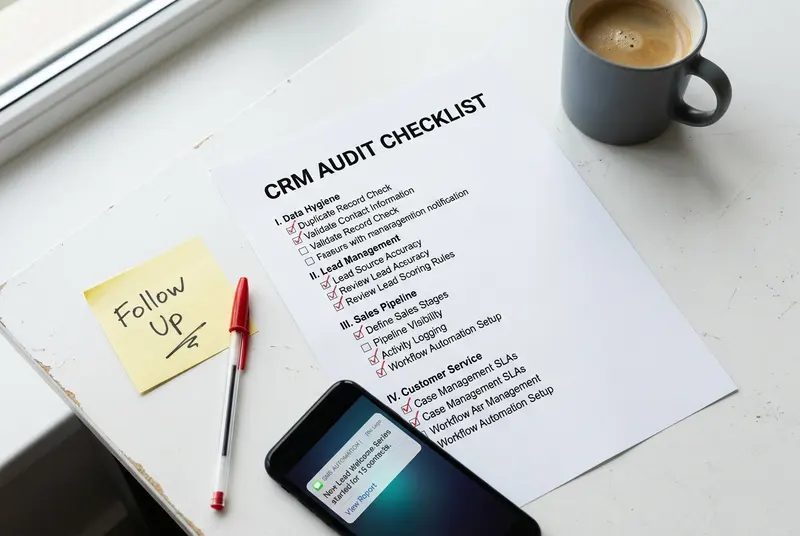
CRM automation is the multiplier that makes a small office staff perform like a team twice its size. But broken or misconfigured automations create a false sense of security — you think follow-ups are happening when they aren't. Based on our analysis of home services CRM setups, at least one critical automation is broken or disabled in roughly half of accounts that haven't been audited in the past six months.
[ ] Verify automated follow-up sequences are active and sending correctly
Why it matters: An automation that was accidentally paused during a software update can silently fail for months. Every new lead may be going un-nurtured without anyone realizing it.
How to complete: Open your automation or workflow builder and confirm every sequence is set to "Active" or "On." Then check the execution log — most platforms show a history of contacts who entered and completed each automation. If a sequence shows zero executions in the past 30 days but you've had new leads, it's broken.
[ ] Confirm appointment reminder automations are functioning
Why it matters: Appointment no-shows cost home services companies an average of $150–$300 per missed visit in lost labor and rescheduling time. Automated reminders (SMS + email, 24 hours and 2 hours before) reduce no-show rates by up to 40% according to industry service operations benchmarks.
How to complete: Book a test appointment in your CRM using a personal phone and email address. Confirm you receive both the 24-hour and 2-hour reminders. Check the message content for accuracy — outdated phone numbers, wrong business names, and broken links are common in systems that haven't been reviewed.
[ ] Review which automations have zero or low engagement rates
Why it matters: A review request automation with a 1% open rate isn't a functional asset — it's digital noise that trains customers to ignore your messages. Low-performing automations need rewriting, not just reactivating.
How to complete: Pull open and click rates for every automated email sequence. Benchmark: automated service follow-up emails should achieve at least 25% open rate. SMS automations should see 85%+ open rates. Anything significantly below these numbers needs a subject line, timing, or content overhaul.
[ ] Confirm revenue and job data is properly tagged by service type
Why it matters: Without service type tags (HVAC tune-up, pipe repair, lawn treatment), you can't identify which services are most profitable or which customers are candidates for CRM upselling.
How to complete: Pull a report of all completed jobs in the last 90 days and check what percentage have a service type tag applied. Target: 100%. If jobs are untagged, add service type as a required field on your job completion form and backfill the last quarter manually.
Section 4: Team Adoption and CRM Usage Standards
A CRM is only as good as the data your team puts into it. Poor adoption — technicians skipping job notes, office staff using personal spreadsheets alongside the system, managers pulling data from memory — is the root cause of most CRM problems in home services CRM software deployments. This section audits whether your team is actually using the system as designed.
[ ] Audit user permissions and staff CRM access levels
Why it matters: Over-permissioned users can accidentally delete records or export customer lists. Under-permissioned staff can't complete their workflows, so they work around the system instead.
How to complete: Review your user list and remove any accounts for staff who have left the company — this is a data security and compliance issue, not just a housekeeping one. Confirm that technicians have access to job records and notes but not financial or pipeline data. Office managers should have reporting access. Only the owner or CRM admin should have bulk export or deletion rights.
[ ] Verify technician and office staff are logging job notes consistently
Why it matters: Job notes are the institutional memory of your business. Without them, every technician arrives at a repeat customer's home without context, and upsell opportunities are invisible.
How to complete: Pull the last 20 completed job records and check how many have a technician note attached. If fewer than 80% have notes, you have an adoption problem. Implement a standard: no job can be marked Complete without a minimum three-sentence note covering what was done, what was recommended, and the customer's response.
Common mistake: Assuming technicians know what to write. Give them a note template — it removes the friction that causes them to skip the step.
[ ] Confirm your CRM is integrating correctly with scheduling and dispatch software
Why it matters: Disconnected tools create duplicate data entry, which is the fastest path to staff abandoning your CRM. If technicians schedule in one system and customer records live in another, neither system is trustworthy.
How to complete: Verify that a job booked in your scheduling or field service CRM tool automatically creates or updates the corresponding CRM record. Popular integrations to test: Jobber ↔ HubSpot, ServiceTitan ↔ Salesforce, Housecall Pro ↔ GoHighLevel. Run one test booking end-to-end and confirm the data flows correctly.
Section 5: Customer Retention and Repeat Revenue Tracking
CRM customer retention features are the most underused capabilities in most home services CRM setups. Acquiring a new customer costs five times more than retaining an existing one, yet most contractors spend more audit time on new lead pipelines than on existing customer segments. This section ensures your CRM is actively working to bring past customers back.
[ ] Review customer lifetime value data and upsell/cross-sell tags
Why it matters: Customers who've spent $1,000+ with you historically are your highest-probability source of new revenue — but only if your CRM identifies them as such. Without CLV data, your marketing treats a first-time caller and a five-year loyal customer identically.
How to complete: Check whether your CRM calculates or displays total revenue per contact. If not, export completed jobs and calculate it in a spreadsheet. Tag your top 20% of customers by spend and create a segment for high-value outreach — seasonal maintenance reminders, loyalty offers, and referral requests.
[ ] Check that repeat customer and maintenance plan contacts are segmented
Why it matters: Maintenance plan customers have the highest retention rate and highest CLV in home services. If they're not segmented in your CRM, they're being treated like cold prospects, and you're likely losing them to competitors at renewal time.
How to complete: Create or verify a segment/tag for: (1) active maintenance plan members, (2) lapsed maintenance plan customers (plan expired 90+ days ago), and (3) customers with two or more completed jobs. Each segment should have a dedicated automation sequence — renewal reminders for (1), win-back campaigns for (2), and loyalty offers for (3).
[ ] Assess reporting dashboards for accuracy and relevance
Why it matters: If your CRM's default dashboard doesn't show the metrics you actually make decisions from — booked jobs by week, revenue by service type, leads by source — you're flying blind. Owners who don't trust their dashboards stop using them, and the whole system degrades.
How to complete: Open your main reporting dashboard and ask: does this reflect my business reality right now? Cross-check one metric (e.g., total revenue last month) against your accounting software. If they don't match within 5%, your CRM data has gaps that need tracing back to incomplete job records or missing revenue tags.
Common CRM Audit Mistakes Home Services Companies Make
Running through a CRM review checklist is straightforward. These are the mistakes that turn a productive audit into a wasted afternoon.
- Auditing without a baseline. Before you start, pull three metrics: total open leads, last 90-day close rate, and total contacts without a follow-up task. Without a baseline, you can't measure improvement after the audit.
- Fixing everything at once. A CRM audit typically surfaces 10–15 issues. Trying to resolve all of them in a single session creates chaos. Prioritize by revenue impact: pipeline gaps first, then automation failures, then data hygiene.
- Not documenting what you find. Every finding should be logged in a spreadsheet or project management tool with a responsible owner and due date. An audit that produces a verbal conversation but no written action list produces no lasting change.
- Skipping the automation test. Most operators review their automation list but don't actually trigger a test. A workflow can appear active in the settings panel but fail silently at execution. Always test with a real contact record.
- Treating the audit as a one-time event. A CRM health check should happen quarterly. Home services businesses change rapidly — staff turnover, new service lines, and software updates all create new points of failure. Set a recurring calendar reminder the day after each quarter closes.
- Ignoring lost lead data. Most CRMs let you tag pipeline records as Lost with a reason code. If you're not capturing why leads are lost — price, timing, competitor, no response — you're discarding your most valuable sales intelligence.
Put This Checklist to Work Today
A completed CRM audit checklist gives you something most home services owners don't have: a clear, evidence-based picture of where your revenue is leaking and exactly how to stop it. The five sections above — data quality, pipeline management, automation health, team adoption, and customer retention — cover every layer of a functional home services CRM operation.
The most important takeaways from this audit framework:
- Data quality problems compound over time — fix incomplete records before anything else
- Most revenue leaks live at the Estimate Sent stage — every estimate needs a follow-up task
- Automations fail silently — always test with a live contact, not just a settings review
- Repeat customers are your highest-ROI audience — segment and automate for them specifically
- Quarterly audits prevent the decay that makes annual overhauls necessary
If this checklist surfaces more issues than you can address internally, or if you want to understand the full revenue opportunity your CRM data represents, read our complete guide on CRM audit and revenue generation for home services. It covers how to quantify what a healthier CRM is worth to your business in dollar terms — which makes every item on this checklist significantly easier to prioritize.
Save this page, bookmark the quick-reference list at the top, and schedule your first audit for this week. The leads are already in your system. This checklist is how you go get them.
Frequently Asked Questions
What is a CRM audit checklist?
A CRM audit checklist is a structured list of items used to evaluate whether a CRM system is configured correctly, populated with accurate data, and producing measurable business results. For home services companies, it covers data quality, pipeline management, automation health, team adoption, and customer retention tracking.
How often should home services companies run a CRM health check?
Home services companies should run a CRM health check at least once per quarter. Staff turnover, software updates, and new service offerings all create new failure points. A quarterly audit takes two to four hours and consistently surfaces recoverable revenue from stale leads, broken automations, and incomplete records.
What are the most common CRM problems for contractors?
The most common CRM problems for contractors are: incomplete contact records missing service address or lead source, open pipeline leads with no follow-up task attached, broken or paused automations that appear active in settings, inconsistent job note logging by technicians, and repeat customers who aren't segmented for retention campaigns.
Can I run a CRM audit myself or do I need a consultant?
Most home services owners and office managers can complete a CRM audit using a checklist like this one without external help. A DIY audit works well for identifying and fixing known issues. Hiring a CRM consultant makes sense when the audit surfaces systemic problems — such as a broken integration architecture or a CRM that fundamentally doesn't fit the business — that require a rebuild rather than a tune-up.
Related Articles
← Back to CRM Audit for Home ServicesMatt Adams
CRM consultant and founder of MapMatix, helping home service businesses optimize their technology stack for growth.