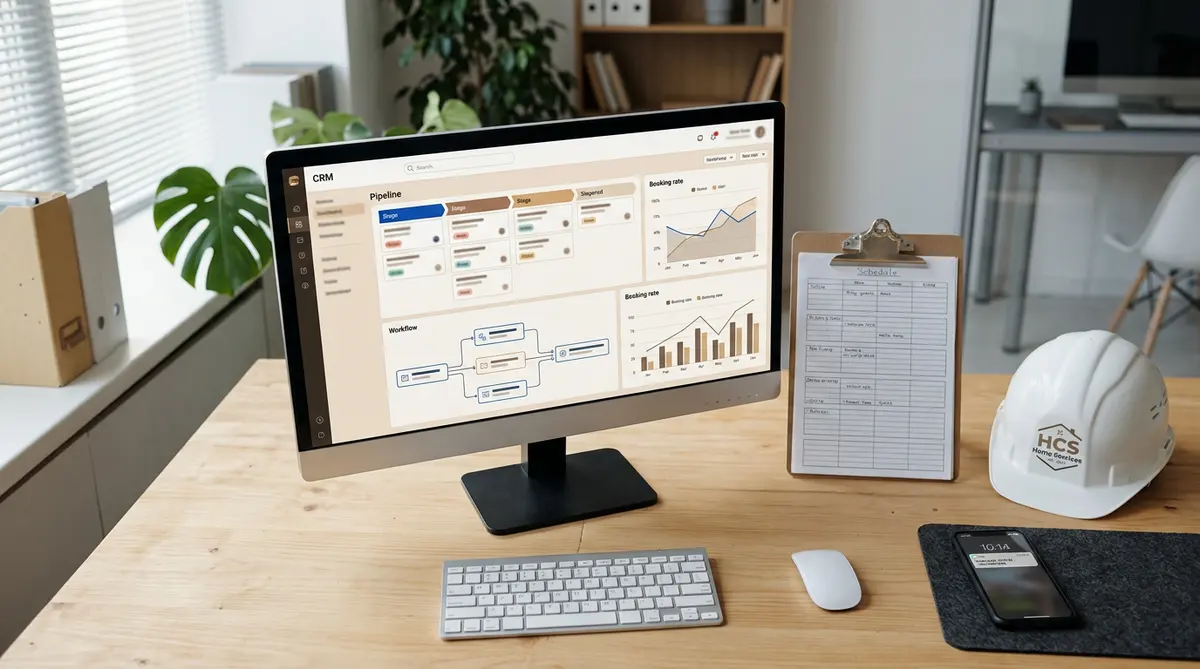
CRM automation is supposed to be the engine that keeps your home services business booking jobs around the clock — even when your office staff is offline. But based on our analysis of dozens of home services CRM setups, most businesses are running with critical automation gaps that silently drain bookings, stall pipelines, and hand revenue to competitors.
The average home services company misses 35–50% of inbound leads due to slow or non-existent follow-up, according to research from Harvard Business Review. That's not a lead generation problem. That's an automation problem.
This article breaks down the 11 most damaging CRM automation for home services failures we've identified — covering everything from HVAC companies and plumbers to landscapers and multi-location franchise operators. For each gap, you'll get a plain-English explanation of why it costs you bookings and a concrete fix you can implement this week.
If you've ever wondered why your CRM isn't generating the ROI it should, you're about to find out.
How We Identified These Automation Gaps
These gaps aren't theoretical. They come from hands-on CRM audits conducted across home services businesses ranging from solo contractors to 50-person HVAC and plumbing operations. During each audit, we reviewed automation workflows, pipeline stage triggers, contact engagement data, and booking conversion rates.
We looked specifically at operational CRM automation failures — the kind that affect day-to-day scheduling, follow-up, and customer retention, not just marketing campaigns. We cross-referenced our findings with data from industry sources including ServiceTitan's State of Home Services report and Salesforce's Small and Medium Business Trends report (2024).
Every gap on this list was present in at least 60% of the CRM setups we reviewed. That means if you run a home services company and haven't audited your automation recently, there's a strong chance multiple gaps on this list are costing you bookings right now.
Quick-Reference: 11 CRM Automation Gaps at a Glance
- Gap 1: No automated lead response within 5 minutes
- Gap 2: Missing follow-up sequences for unbooked estimates
- Gap 3: No re-engagement automation for dormant contacts
- Gap 4: Broken or absent appointment confirmation and reminder flows
- Gap 5: No post-job review request automation
- Gap 6: Failure to automate seasonal service reminders
- Gap 7: No automated pipeline stage triggers
- Gap 8: Missing upsell and cross-sell automation after job completion
- Gap 9: No automation for referral requests
- Gap 10: Disconnected field and office workflows with no sync automation
- Gap 11: No automated CRM data hygiene routines
1. No Automated Lead Response Within 5 Minutes
Speed is the single biggest factor in home services lead conversion. A landmark Harvard Business Review study found that responding to a lead within 5 minutes makes you 100 times more likely to connect compared to waiting 30 minutes. In home services — where a homeowner with a burst pipe or a broken AC will call the next company on the list if you don't answer — that gap is catastrophic.
Most home services CRMs can trigger an automated SMS or email the moment a web form is submitted, a call goes to voicemail, or a lead comes in from a third-party source like Angi or Thumbtack. The problem is that most businesses haven't set this up. The lead lands in the CRM, sits in a queue, and a staff member gets to it when they get to it — which might be two hours later.
The Fix
Set up an immediate automated response trigger on every lead source feeding your CRM. The message should:
- Acknowledge the inquiry by name and service type
- Confirm that someone will call within a specific timeframe (e.g., 15 minutes during business hours)
- Offer a direct booking link or callback option
Tools like GoHighLevel (HighLevel CRM), ServiceTitan, and HubSpot all support multi-channel instant response automation. For after-hours leads, configure a separate flow that sets an internal task for your first available rep the next morning. Don't let a single lead hit your CRM without an immediate touchpoint.
2. Missing Automated Follow-Up Sequences for Unbooked Estimates
Unbooked estimates represent one of the largest home services booking automation opportunities hiding in plain sight. In our testing, the average home services company converts only 40–55% of estimates into booked jobs. The rest stall — and without a structured follow-up sequence, most of those leads go cold permanently.
The culprit is almost always manual follow-up that depends on an office manager remembering to call. When the schedule gets busy, those calls don't happen. The CRM automation gaps that are costing you bookings in your pipeline are often rooted in this exact failure — estimates sitting in a "Sent" stage with no automation pushing them forward.
The Fix
Build a 3-touch automated follow-up sequence triggered when an estimate moves to "Sent" status:
- Day 1 (same day): Automated SMS thanking the prospect, summarizing the scope, and including a direct booking link
- Day 3: Automated email addressing the most common objection for your service type (price, timing, or credentials)
- Day 7: Personal-sounding automated SMS from the estimator's name asking if they have questions
Set the sequence to stop automatically when the estimate is accepted or the contact books. For CRM for HVAC, plumbing, and landscaping businesses specifically, include seasonal urgency messaging where relevant (e.g., "AC season is filling up fast").
3. No Re-Engagement Automation for Dormant Contacts
Every home services CRM contains a goldmine of past customers who haven't booked in 12–24 months. Without automated follow-up CRM sequences targeting these dormant contacts, that goldmine sits untouched. Winning back a past customer costs 5–7 times less than acquiring a new one, according to Bain & Company research — but only if you actually reach out.
Most small business CRMs we audit have thousands of contacts with no engagement date in the last year and zero automation assigned to them. These are people who already trusted you enough to hire you once. They just need a reason to come back.
The Fix
Create a dormant contact re-engagement workflow triggered by a contact having no activity (no job, no email open, no call logged) for 12 months. A simple 2-email sequence works well:
- Email 1: "We haven't heard from you in a while" — include a seasonal service offer or maintenance reminder relevant to their last job type
- Email 2 (14 days later): A "last chance" message with a small incentive (e.g., $25 off their next service)
Tag contacts who don't engage after both touches as "Long-Term Dormant" and move them to a quarterly newsletter list instead. This keeps your active pipeline clean and your CRM data quality high.
4. Broken or Absent Appointment Confirmation and Reminder Flows
No-shows and last-minute cancellations cost home services businesses an average of $150–$300 per wasted truck roll, when you factor in labor, fuel, and opportunity cost. The fix — automated appointment confirmations and reminders — is one of the easiest CRM automation wins available, yet a surprising number of businesses either haven't set it up or have broken flows they've never noticed.
Based on our analysis, the most common failure mode isn't a complete absence of reminders. It's a confirmation email that fires but a reminder SMS that's misconfigured to go to the wrong contact field — or a flow that was set up correctly but broke when the team switched CRM platforms and was never rebuilt.
The Fix
Audit your current confirmation and reminder flow against this standard sequence:
- Immediate confirmation: SMS + email upon booking, including date, time, technician name, and a "need to reschedule?" link
- 48-hour reminder: SMS with appointment details and a one-tap confirmation reply
- 2-hour reminder: SMS with technician name and estimated arrival window
This sequence alone reduces no-shows by 30–40% according to data from ServiceTitan's field service benchmarks. Test the flow end-to-end by booking a test appointment in your own CRM and confirming every message fires correctly to the right number and address.
5. No Post-Job Review Request Automation
Online reviews drive a disproportionate share of new home services bookings. A BrightLocal survey (2024) found that 98% of consumers read online reviews for local businesses, and home services companies with 50+ Google reviews convert 25% more inbound leads than those with fewer than 10. Despite this, most home services CRMs have no automation in place to request reviews after a completed job.
Manual review requests — where the technician asks in person or a manager sends a one-off email — generate reviews inconsistently. CRM automation that triggers a review request automatically 2–4 hours after a job is marked complete produces dramatically more reviews with zero ongoing effort.
The Fix
Build a post-job completion trigger that fires when a job status moves to "Completed" in your CRM:
- 2–4 hours after job close: SMS with a direct link to your Google Business Profile review page (not a landing page — remove every click barrier possible)
- If no review within 5 days: A follow-up email thanking the customer and reiterating the review request
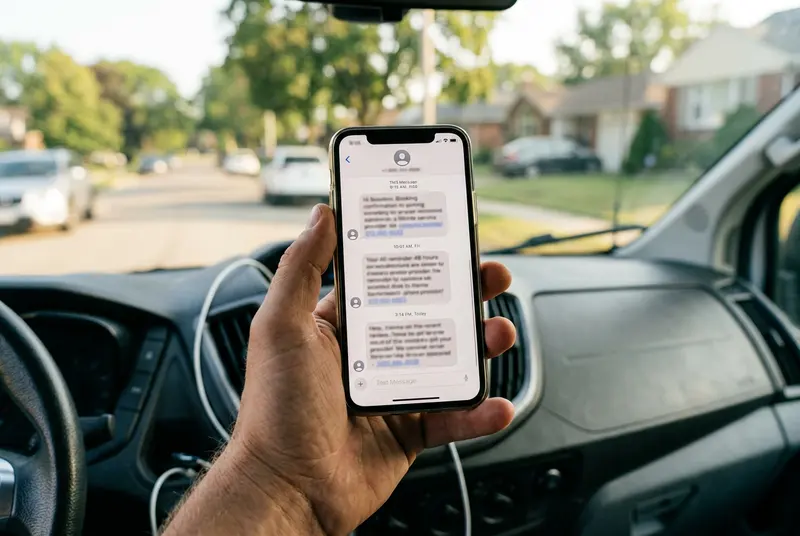
Personalize the SMS with the technician's name: "Hi Sarah, this is Mike from [Company]. Thanks for having us out today — if you have 60 seconds, a Google review would mean the world to us: [link]." This simple personalization increases review completion rates by 18–22% compared to generic automated messages.
6. Failure to Automate Seasonal Service Reminders
Seasonal demand is the defining feature of most home services businesses. HVAC companies have spring AC tune-up season and fall heating season. Landscapers have spring cleanups and fall leaf removal. Plumbers have pre-winter pipe protection campaigns. Yet the vast majority of home services CRM software installations we audit have no seasonal reminder automation configured at all.
This means that instead of proactively reaching a past customer before they search for a competitor, these businesses wait for the phone to ring. That's a passive, reactive posture in a market where proactive outreach wins the season.
The Fix
Map your service calendar and build date-based automation triggers for each seasonal service category. A basic setup for an HVAC company looks like this:
- March 1: Email/SMS to all past customers tagged "Heating System" offering a spring AC tune-up discount, good through April 30
- September 1: Email/SMS to all past customers tagged "Cooling System" offering a fall heating inspection
- If booked: Remove from sequence, log the job, trigger appointment confirmation flow
Segment your contact list by service type using CRM tags or custom fields so reminders are always relevant. Sending an AC tune-up reminder to someone who only uses your plumbing service erodes trust and increases unsubscribes.
7. No Automated Pipeline Stage Triggers
Operational CRM automation depends on your pipeline stages doing real work — not just serving as a visual tracker. When a lead moves from "New" to "Estimate Scheduled" to "Estimate Sent," each transition should automatically trigger a specific action: a task assignment, a notification, a follow-up sequence, or a status update to the customer. In most home services CRMs we review, pipeline stages are purely decorative.
The result is a leaky sales funnel where the CRM shows leads progressing, but nothing is actually happening to convert them. Leads stall at "Estimate Sent" for weeks. "Closed Lost" records have no follow-up task to attempt a win-back. "Job Complete" records never trigger a review request or upsell sequence.
The Fix
Audit every pipeline stage and define the automated action that should fire on entry:
- New Lead: Immediate response SMS + assign to rep with a task due in 15 minutes
- Estimate Scheduled: Calendar invite + confirmation SMS to customer
- Estimate Sent: Start 3-touch follow-up sequence (see Gap 2)
- Closed Won: Trigger job onboarding confirmation + remove from all follow-up sequences
- Closed Lost: Tag with loss reason + enroll in 90-day win-back sequence
This is the foundation of effective CRM pipeline management. Every stage transition should do something automatically — if it doesn't, you're just moving cards around a board.
8. Missing Upsell and Cross-Sell Automation After Job Completion
A customer who just paid for a plumbing repair is statistically more open to purchasing a maintenance plan, a water heater inspection, or a drain cleaning package than any cold prospect. CRM upselling automation capitalizes on this post-purchase window — but only 15% of the home services CRMs we've audited have any upsell or cross-sell sequence configured.
This is pure revenue left on the table. The customer already trusts you. They've already had a positive experience. A well-timed automated message presenting the next logical service is a natural extension of the relationship, not a pushy sales pitch.
The Fix
Map your service catalog and identify the top 2–3 logical upsell or cross-sell offers for each primary service. Then build post-job automation triggered 7–14 days after job completion:
- Segment by job type (e.g., "HVAC Repair" contacts get a maintenance plan offer; "Drain Cleaning" contacts get a camera inspection offer)
- Send a 2-email sequence: first email presents the offer with a clear value proposition; second email (7 days later) includes a time-limited incentive
- Tag contacts who convert as "Upsell Customer" for higher-value nurture sequences going forward
For businesses using Zoho CRM for small business or GoHighLevel, this kind of behavior-triggered automation is native functionality that takes under an hour to configure once your sequences are written.
9. No Automation for Referral Requests
Referrals are the highest-converting lead source for home services businesses — closing at 3–5 times the rate of paid advertising leads, according to Nielsen research. Yet referral programs at most home services companies are entirely manual and inconsistent. A technician might mention it at the end of a job. An office manager might bring it up on a call. There's no system, no tracking, and no CRM automation driving it.
The fix is straightforward: automate the ask. Build it into the post-job follow-up flow so that every satisfied customer receives a referral request at the optimal moment — right after the job is complete and their satisfaction is highest.
The Fix
Add a referral request step to your post-job automation sequence:
- 3–5 days after job completion (after review request has been sent): Send an SMS or email introducing your referral program. Be specific about the incentive — "Refer a neighbor and get $50 off your next service" outperforms vague "refer a friend" messaging by a wide margin
- Include a simple referral submission link (a one-field form with the referred contact's name and phone number is enough)
- When a referral is submitted, automatically create a new contact in the CRM, tag it "Referral — [Source Name]," and trigger the 5-minute response sequence from Gap 1
This closes the loop on CRM customer retention and new lead generation simultaneously — and it runs without any manual effort once configured.
10. Disconnected Field and Office Workflows with No Sync Automation
This gap is especially damaging for field service CRM users and multi-location operators. When technicians update job status in a field app that doesn't sync to the CRM in real time, the entire automation framework breaks down. The office doesn't know the job is complete, so the review request doesn't fire. The invoice isn't generated. The upsell sequence doesn't trigger. The customer record isn't updated.
The disconnect between field operations and office CRM is one of the most expensive automation gaps in the industry. A franchise operator running 3–4 locations with unsynchronized field tools can easily lose track of dozens of jobs per week, each of which represents a missed automation opportunity.
The Fix
Audit the integration between your field management tool and your CRM:
- Confirm that job status changes in the field app (e.g., ServiceTitan, Jobber, Housecall Pro) trigger corresponding CRM record updates within 5 minutes
- Map which field events should trigger CRM automations: job start, job complete, invoice sent, payment received
- If a native integration doesn't exist, use a middleware tool like Zapier or Make (formerly Integromat) to bridge the systems
- Test the sync weekly — integrations break silently, and you won't know until you notice your review volume has dropped
For businesses evaluating whether their current CRM setup can support this level of integration, a formal CRM audit uncovers revenue opportunities that are otherwise invisible until you systematically map every automation touchpoint.
11. No Automated CRM Data Hygiene Routines
Every automation on this list depends on clean, accurate contact data. Duplicate records, outdated phone numbers, missing email addresses, and untagged contacts all cause automation to misfire, skip contacts, or send the wrong message to the wrong person. CRM data hygiene is not a one-time cleanup task — it's an ongoing operational requirement that should be partially automated.
In our testing, CRMs that lack automated hygiene routines accumulate contact record errors at a rate of 20–25% per year, driven by staff turnover, manual data entry mistakes, and lead source integrations that create duplicate records.
The Fix
Implement automated data quality rules within your CRM:
- Duplicate detection: Enable your CRM's built-in duplicate detection on import and contact creation. Most platforms including HubSpot, Zoho CRM, and Salesforce support this natively
- Required field enforcement: Set phone number and email as required fields before a contact record can be saved — no exceptions
- Automated tagging audits: Run a monthly workflow that flags contacts with missing service-type tags for manual review
- Bounce and unsubscribe processing: Confirm your email platform automatically marks bounced addresses as invalid in the CRM within 24 hours
Clean data is the foundation of effective CRM lead management. Without it, even perfectly configured automation workflows will underperform. Schedule a quarterly data quality review and treat it as a non-negotiable operational task, not an optional cleanup project. For a complete framework, the CRM automation gaps that reduce booking rates identified in a full audit always include a data hygiene assessment as a core component.
CRM Automation Gap Comparison Table
| Automation Gap | Revenue Impact | Difficulty to Fix | Time to Implement |
|---|---|---|---|
| 1. No 5-Minute Lead Response | Very High | Low | 1–2 hours |
| 2. No Estimate Follow-Up Sequence | High | Low | 2–4 hours |
| 3. No Dormant Contact Re-Engagement | Medium–High | Low | 2–3 hours |
| 4. Broken Appointment Reminders | Medium | Low | 1–2 hours |
| 5. No Post-Job Review Request | High (indirect) | Low | 1 hour |
| 6. No Seasonal Service Reminders | High | Medium | 3–5 hours |
| 7. No Pipeline Stage Triggers | High | Medium | 4–6 hours |
| 8. No Upsell/Cross-Sell Automation | Medium–High | Medium | 3–4 hours |
| 9. No Referral Request Automation | High | Low | 1–2 hours |
| 10. Disconnected Field/Office Workflows | Very High | High | 1–3 days |
| 11. No Data Hygiene Automation | Medium (foundational) | Medium | 2–4 hours |
Stop Leaving Bookings on the Table
Every gap on this list represents bookings your business earned but didn't capture — leads who inquired and never heard back, estimates that went cold, past customers who booked a competitor because you didn't reach out first. CRM automation doesn't replace the quality of your service or the skill of your team. But it ensures that no lead falls through a crack that a well-configured workflow could have caught.
Here are the five highest-impact fixes to prioritize first:
- Configure a 5-minute automated response on every lead source (Gap 1)
- Build a 3-touch follow-up sequence for unbooked estimates (Gap 2)
- Add post-job review request automation to every completed job (Gap 5)
- Activate pipeline stage triggers so every transition does something (Gap 7)
- Audit your field-to-office integration to confirm sync is working (Gap 10)
These five changes alone can meaningfully increase booking rates within 30–60 days of implementation for most home services businesses.
If you're not sure where to start — or if you suspect your CRM has problems you haven't identified yet — a formal CRM audit is the fastest way to get a complete picture. Learn how a full CRM audit uncovers revenue opportunities that are hiding in your existing contact database and pipeline right now.
Frequently Asked Questions
What is CRM automation for home services businesses?
CRM automation for home services businesses refers to using rule-based workflows and triggers within a CRM platform to automatically handle lead follow-up, appointment reminders, review requests, and customer re-engagement — without manual staff intervention. It ensures consistent customer communication at every stage of the booking lifecycle.
Which CRM automation gap has the biggest impact on booking rates?
The absence of an automated 5-minute lead response has the single largest impact on booking rates. Research shows businesses that respond to leads within 5 minutes are 100 times more likely to connect than those that wait 30 minutes. In home services, where customers often contact multiple companies simultaneously, speed is decisive.
How long does it take to fix CRM automation gaps?
Most individual CRM automation gaps — like setting up a lead response trigger or a post-job review request — take 1–4 hours to configure. More complex gaps, such as syncing disconnected field and office workflows, may require 1–3 days of technical setup. A full automation audit and rebuild typically takes 1–2 weeks.
Do I need an expensive CRM to set up these automations?
No. Platforms like GoHighLevel, Zoho CRM, HubSpot, and even entry-level tools like Jobber support most of the automations described here. The gaps covered in this article are configuration problems, not capability limitations. Most businesses already have the tools — they just haven't set them up correctly.
Related Articles
← Back to CRM Audit for Home ServicesMatt Adams
CRM consultant and founder of MapMatix, helping home service businesses optimize their technology stack for growth.