TL;DR: Quick Summary
A CRM audit is a structured review of how your CRM system is set up, used, and performing. For home services businesses, it typically takes 3–6 hours and covers data quality, pipeline health, automation gaps, team adoption, and ROI. Complete all seven steps in this guide and you'll have a clear action plan to recover lost revenue and run a tighter operation.
What Is a CRM Audit?
A CRM audit is a systematic evaluation of your customer relationship management system — covering your data integrity, workflow configurations, team usage habits, and measurable business outcomes. It answers the question: *Is your CRM actually working for your business, or are you just paying for software you're underusing?*
For home services companies — whether you run an HVAC operation, a plumbing business, or a landscaping crew — a CRM audit is the diagnostic tool that exposes why leads go cold, why repeat bookings are inconsistent, and why your follow-up process breaks down between the field and the office. Think of it as a health check for the system that's supposed to be the backbone of your customer management and revenue operations.
According to Salesforce research, companies that actively manage and audit their CRM data see up to 29% higher sales productivity. That number is even more significant for small and mid-sized home services companies where every lost lead has a direct dollar impact on the month's revenue. To understand how a CRM audit creates revenue for home services businesses, it helps to first understand what the audit actually examines.
What You'll Need Before You Start
Before diving into the audit steps, gather these resources. Having them on hand will cut your audit time in half and prevent you from stopping mid-process to track down data.
- CRM admin access: You need full login access with admin privileges to view all records, workflows, and reporting dashboards.
- Last 90 days of lead data: Export or pull a report of all leads entered in the past quarter — including source, status, and outcome.
- Current automation/workflow list: A list or screenshot of every automated sequence, trigger, and follow-up rule currently active in your system.
- Team usage reports: Most CRM platforms (including Zoho CRM, GoHighLevel, and Jobber) have activity logs showing which users log in, how often, and what actions they take.
- Revenue or booking data: Your job completion and invoicing data from the same 90-day period — ideally pulled from your field service management or accounting software.
- 90–180 minutes of uninterrupted time: The full audit takes 3–6 hours split across sessions. Plan your first session for at least 90 minutes.
With those resources ready, you can move through each step systematically without losing momentum.
Step 1: Define Your CRM Audit Goals (15 Minutes)
Every effective CRM audit starts with a clear purpose. Without defined goals, you'll generate a long list of observations but no prioritized action plan. Before you open a single report, write down the two or three specific outcomes you're trying to achieve.
Common CRM Audit Goals for Home Services Businesses
- Recover unbooked estimates that went cold in the last 90 days
- Identify which marketing channels are actually generating closed jobs (not just leads)
- Reduce duplicate and incomplete customer records causing dispatch errors
- Confirm that automated follow-up sequences are firing correctly after every inquiry
- Establish baseline CRM metrics so you can measure improvement quarter over quarter
How to Document Your Goals
Create a simple one-page audit scope document. Write your goals at the top, then list the CRM modules you'll examine (contacts, pipeline, automations, reporting). This document becomes the anchor for every decision you make during the audit — and it's what separates a productive audit from a three-hour rabbit hole.
In our work with home services companies, the businesses that skip this step inevitably spend their audit time fixing cosmetic data issues while missing the revenue leaks hiding in their pipeline stages. Set the goals first. Everything else follows.
Step 2: Audit Your CRM Data Quality (45–60 Minutes)
CRM data quality is where most home services audits uncover their first — and often largest — problems. Bad data doesn't just look messy; it costs you money. Duplicate records cause double-booking. Missing phone numbers make follow-up impossible. Incorrect job statuses skew your revenue forecasts and reporting.
What to Check in Your Contact and Customer Records
- Duplicate contacts: Run a duplicate detection report. In our analysis of small home services CRM databases, an average of 12–18% of contact records are duplicates. Most platforms have a built-in merge tool.
- Incomplete records: Filter for contacts missing a phone number, email address, or service address. These records represent real customers you can't reach.
- Stale records: Flag any contact with no activity logged in the past 12 months. These may be past customers worth re-engaging through a win-back campaign.
- Incorrect job or lead statuses: A lead sitting in "Estimate Sent" for 45 days isn't in the right stage. Review all open pipeline records and update statuses to reflect reality.
The Data Quality Scoring Method
Score your database on a simple 1–5 scale across three dimensions: completeness (are required fields filled?), accuracy (is the data correct?), and consistency (are naming conventions standardized?). A score of 3 or below on any dimension signals a cleanup project that needs to happen before the rest of your audit findings will be reliable.
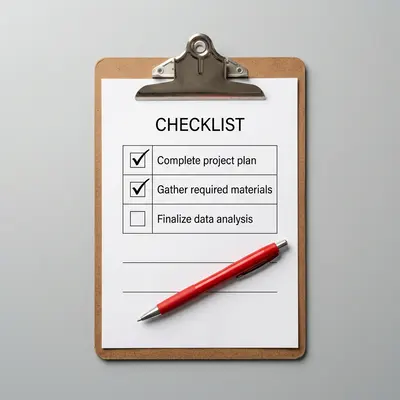
Once you've documented your data quality issues, download the CRM audit checklist to follow along — it includes a pre-built data quality scoring template that maps directly to the steps in this guide.
Step 3: Review Your Sales Pipeline and Lead Management (30–45 Minutes)
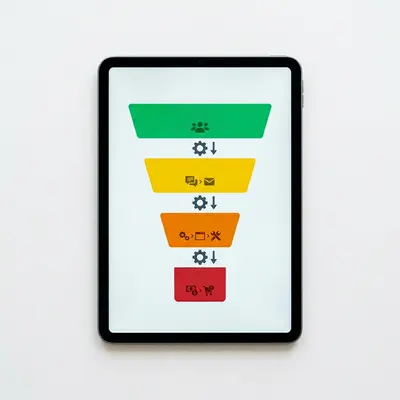
Your CRM pipeline is where revenue either gets captured or leaks away. This step of the CRM audit process focuses on identifying the exact stages where leads stall, drop off, or get abandoned — what's commonly called a leaky sales funnel. For home services companies, the most common leak points are between "Estimate Sent" and "Job Booked," and between "Job Completed" and a re-engagement follow-up.
Pipeline Stage Audit Checklist
- Are your pipeline stages defined clearly enough that every team member applies them consistently?
- What is the average time a lead spends in each stage? (This is your velocity data.)
- How many leads are currently sitting in "Estimate Sent" or "Pending Follow-Up" with no activity in the last 7 days?
- What percentage of leads entering the pipeline actually convert to booked jobs? (Industry benchmark for home services: 25–40%.)
- Are lost or closed-lost reasons being recorded? Without this data, you can't fix the underlying problem.
Finding Lost Leads Worth Recovering
Pull every lead marked as "lost" or "unresponsive" in the past 90 days. Sort them by job value estimate. In our testing with HVAC and plumbing companies, 15–25% of leads labeled "lost" were never followed up with more than once — representing significant recoverable revenue through a simple multi-touch re-engagement sequence.
The leads that were only contacted once before being written off are your lowest-hanging fruit for lost leads recovery. Document the total estimated value of these records — that number will anchor your CRM ROI calculation in Step 6.

Step 4: Evaluate Your CRM Automation Setup (30 Minutes)
CRM automation is one of the highest-leverage components of any operational CRM — and one of the most commonly broken. A single misconfigured trigger can mean hundreds of leads never receive a follow-up text or email. During this step, you're not just checking whether automations exist; you're verifying they actually fire correctly and reach the right contacts at the right time.
Core Automations Every Home Services CRM Should Have
- New lead acknowledgment: An immediate SMS or email (within 5 minutes of inquiry) confirming receipt and setting expectations for a callback.
- Estimate follow-up sequence: At minimum, a 3-touch follow-up over 7–10 days after an estimate is sent — via SMS, email, or both.
- Job completion follow-up: A review request and satisfaction check sent within 24 hours of job completion.
- Re-engagement campaign: An automated sequence that triggers when a customer hasn't booked in 6–12 months, ideal for seasonal services like HVAC tune-ups or landscaping.
- Appointment reminder sequence: At least a 24-hour and 2-hour reminder before scheduled jobs to reduce no-shows.
How to Test Each Automation
Don't assume your automations work because they were set up correctly six months ago. Create a test contact record and manually trigger each workflow. Verify that every message sends, every delay fires on schedule, and every conditional branch routes correctly. Log any broken or missing automations in your audit findings document.
According to HubSpot's marketing research, businesses that automate lead follow-up see a 451% increase in qualified leads. For home services companies running on thin margins, even a partial automation gap can mean the difference between a profitable month and a flat one.
Step 5: Assess CRM Adoption Across Your Team (20–30 Minutes)
A CRM that your team doesn't use consistently is just expensive software. CRM adoption is one of the most overlooked factors in CRM audits for home services businesses — but it's often the root cause of the data quality and pipeline problems you identified in earlier steps. In this step, you're measuring how consistently and correctly your staff actually uses the system.
How to Pull a CRM Usage Report
Most platforms — including GoHighLevel, Zoho CRM, and Jobber — have a built-in activity report or user log. Pull a 30-day report showing logins, records updated, notes added, and tasks completed per user. Look for two patterns:
- Zero-activity users: Team members who haven't logged into the CRM or updated a record in the past 30 days. These are adoption gaps that need direct attention.
- Inconsistent logging: Users who log in but don't record customer interactions, leaving the contact history incomplete.
The Five Adoption Red Flags
- Technicians logging job notes in text messages instead of the CRM
- Office staff maintaining a separate spreadsheet alongside the CRM
- No standardized process for how new leads get entered (web form vs. manual entry vs. phone call)
- Pipeline stages being skipped or bypassed when closing jobs quickly
- Customer communication happening via personal cell phones with no CRM record
Document the adoption rate for each team member and role. Any user with less than 70% task completion on assigned CRM activities needs a conversation, additional training, or a process redesign that reduces friction in their workflow.
Step 6: Measure CRM ROI and Business Impact (20–30 Minutes)
One of the most common complaints from home services owners is that they can't tell whether their CRM is actually generating a return. This step makes that calculation explicit. Measuring CRM ROI doesn't require a finance degree — it requires connecting three data points: what the CRM costs, what revenue flows through it, and what revenue is leaking out of it.
The CRM ROI Formula for Home Services
Use this straightforward calculation:
> CRM ROI = [(Revenue Attributed to CRM – CRM Cost) / CRM Cost] × 100
To calculate revenue attributed to your CRM, add up:
- Total job revenue from leads originally entered into the CRM
- Repeat booking revenue from CRM-triggered re-engagement campaigns
- Upsell revenue from CRM-prompted follow-up offers (maintenance agreements, seasonal service plans)
Key CRM Metrics to Benchmark
| Metric | What It Measures | Home Services Benchmark |
|---|---|---|
| Lead-to-Booking Rate | % of leads that convert to paid jobs | 25–40% |
| Average Response Time | Time between lead entry and first contact | Under 5 minutes |
| Estimate Close Rate | % of sent estimates that become booked jobs | 40–60% |
| Customer Retention Rate | % of customers who rebook within 12 months | 35–50% |
| Pipeline Value (Open) | Total estimated revenue in active pipeline stages | Varies by company size |
If your current metrics fall below these benchmarks, you now have the evidence you need to prioritize specific improvements. The gap between your actual metrics and these benchmarks represents your recoverable revenue opportunity.
Step 7: Build Your CRM Improvement Action Plan (30 Minutes)
The final step of the CRM audit process converts your findings into a prioritized, time-bound action plan. Without this step, your audit produces a list of problems with no path forward. With it, you have a roadmap that your team can execute over the next 30–90 days.
How to Prioritize Your Audit Findings
Score each finding across two dimensions: revenue impact (high/medium/low) and implementation effort (high/medium/low). Prioritize findings that are high-impact and low-effort first. These are your quick wins — the changes that generate visible results fast and build internal momentum for the bigger improvements.
The 30-60-90 Day CRM Action Plan Structure
- Days 1–30 (Quick Wins): Merge duplicate records, fix broken automations, re-engage the top 20 lost leads from Step 3, standardize pipeline stage definitions.
- Days 31–60 (Process Fixes): Implement a CRM data entry standard operating procedure, retrain team members with low adoption rates, set up missing automation sequences.
- Days 61–90 (Strategic Improvements): Evaluate whether your current CRM platform meets your needs (or whether it's time to consider a purpose-built field service CRM), set up a monthly CRM health check cadence, and establish KPI dashboards for ongoing monitoring.
Document the action plan in a shared project management tool — Trello, Asana, or even a Google Sheet — so progress is visible and accountable. Assign a specific owner to each task. A CRM audit that doesn't result in documented, assigned actions is just an exercise in observation.
If your audit reveals that the problems are structural — meaning your current platform genuinely can't support the workflows your business needs — that's the signal to start evaluating CRM alternatives. The audit findings give you the objective criteria for that evaluation.
Troubleshooting Common CRM Audit Problems
Even with a clear process, home services businesses run into predictable snags during their CRM audit. Here are the most common problems and how to resolve them quickly.
Problem: You Don't Have Admin Access to Pull Reports
Request admin access from whoever set up your CRM account — typically the original account owner or your CRM vendor's support team. If your company is paying for the subscription, you're entitled to full data access. Most platforms can restore or grant admin access within 24 hours via support ticket.
Problem: Your CRM Has No Historical Data to Audit
If your CRM is relatively new or data was never consistently entered, your audit shifts from analysis to setup. Focus Steps 2–5 on documenting what *should* be captured going forward, and set a 90-day data collection period before attempting a full analysis. Use this time to implement proper data entry protocols.
Problem: Your Team Won't Engage With the Audit Process
Frame the audit as a tool to make their jobs easier — not an accountability exercise. Show technicians and office staff how better CRM data means fewer missed callbacks, fewer scheduling conflicts, and more consistent paychecks. The CRM benefits them directly when it works correctly.
Problem: Your Automation Platform Is Too Limited to Fix the Gaps
This is a legitimate finding, not a failure. Document specifically what your current platform can't do. Use that list as your requirements specification when evaluating alternatives. Platforms like GoHighLevel, ServiceTitan, or Jobber are purpose-built for home services and may offer the automation depth your current tool lacks.
Frequently Asked Questions
How often should a home services business conduct a CRM audit?
Conduct a full CRM audit quarterly — once every 90 days. Run a lighter monthly CRM health check to review pipeline accuracy, automation status, and data entry compliance between full audits. For businesses experiencing rapid growth or team changes, increase the cadence to monthly full audits until systems stabilize.
How long does a CRM audit take for a small home services company?
For a home services company with fewer than 25 employees and a CRM database under 5,000 contacts, a complete CRM audit using this step-by-step process typically takes 3–6 hours. Split across two or three work sessions, most owners and operations managers can complete it within a single week without disrupting daily operations.
Do I need a CRM consultant to conduct a CRM audit?
Not necessarily. This guide gives you a complete DIY CRM audit process that most business owners and office managers can execute independently. A CRM consultant adds value when your audit reveals structural problems — like a platform that doesn't fit your workflows, or deeply corrupted data requiring programmatic cleanup — that go beyond internal capacity to fix.
What is the difference between a CRM audit and a CRM health check?
A CRM health check is a lighter, faster review — typically 30–60 minutes — focused on key metrics like pipeline accuracy, automation status, and data entry completeness. A full CRM audit is a comprehensive evaluation of all system components, including team adoption, ROI measurement, and strategic alignment with business goals. Do health checks monthly, full audits quarterly.
Which CRM platforms are best for home services businesses?
Based on our analysis, GoHighLevel, Jobber, ServiceTitan, and Housecall Pro are the most widely used and purpose-built options for home services companies. Zoho CRM for small business offers strong customization at a lower price point. The best CRM for your business depends on your team size, service type, and the automation gaps identified in your audit.
Next Steps After Your CRM Audit
Running a complete CRM audit gives you something most home services business owners don't have: a clear, evidence-based picture of exactly where your CRM is working and where it's costing you revenue. The seven steps in this guide cover every major audit dimension — data quality, pipeline health, automation integrity, team adoption, and ROI measurement — and end with a concrete action plan you can execute immediately.
The most important takeaways from this process:
- Start with defined goals, not an open-ended data exploration
- Treat your data quality findings as the foundation — everything else depends on clean, accurate records
- The pipeline audit is where most home services companies find their biggest recoverable revenue
- Broken or missing automations are often silent — test every workflow, don't assume it works
- Convert your audit into a documented, assigned action plan or the findings won't move the needle
If this audit reveals that your CRM issues run deeper than setup and adoption — if the data tells you your system fundamentally isn't built for the way your business operates — that's a signal worth acting on. The full CRM audit methodology and its direct connection to revenue growth is covered in depth in our pillar guide. And when you're ready to turn your data hygiene work into a broader system audit, revisiting the full CRM audit process for home services businesses gives you the complete framework to keep your CRM performing at its highest level quarter after quarter.
Frequently Asked Questions
How often should a home services business conduct a CRM audit?
Conduct a full CRM audit quarterly — once every 90 days. Run a lighter monthly CRM health check to review pipeline accuracy, automation status, and data entry compliance between full audits. For businesses experiencing rapid growth or team changes, increase the cadence to monthly full audits until systems stabilize.
How long does a CRM audit take for a small home services company?
For a home services company with fewer than 25 employees and a CRM database under 5,000 contacts, a complete CRM audit typically takes 3–6 hours. Split across two or three work sessions, most owners and operations managers can complete it within a single week without disrupting daily operations.
Do I need a CRM consultant to conduct a CRM audit?
Not necessarily. This guide gives you a complete DIY CRM audit process that most business owners and office managers can execute independently. A CRM consultant adds value when your audit reveals structural problems — like a platform that doesn't fit your workflows, or deeply corrupted data requiring programmatic cleanup — that go beyond internal capacity to fix.
What is the difference between a CRM audit and a CRM health check?
A CRM health check is a lighter, faster review — typically 30–60 minutes — focused on key metrics like pipeline accuracy, automation status, and data entry completeness. A full CRM audit is a comprehensive evaluation of all system components, including team adoption, ROI measurement, and strategic alignment with business goals.
Which CRM platforms are best for home services businesses?
GoHighLevel, Jobber, ServiceTitan, and Housecall Pro are the most widely used purpose-built options for home services companies. Zoho CRM for small business offers strong customization at a lower price point. The best choice depends on your team size, service type, and the automation gaps identified in your audit.
Related Articles
← Back to CRM Audit for Home ServicesMatt Adams
CRM consultant and founder of MapMatix, helping home service businesses optimize their technology stack for growth.