Key Takeaways
- A CRM audit is a systematic review of your CRM data, workflows, and usage patterns — and it directly impacts revenue when done correctly.
- Home services businesses lose an estimated 20-30% of potential revenue from poor CRM usage, including missed follow-ups, abandoned estimates, and dirty contact data.
- The five core audit areas are data quality, pipeline management, automation workflows, team adoption, and reporting accuracy.
- You don't need to replace your CRM — most revenue gains come from fixing how you *use* the system you already have.
- Both DIY audits and consultant-led audits produce results, but the right choice depends on your team size and technical confidence.
- Measuring CRM ROI after an audit is essential to justify the effort and guide ongoing improvements.
Table of Contents
- What Is a CRM Audit (And Why Home Services Businesses Need One)
- The Hidden Revenue Problem Inside Your CRM
- The Five Pillars of a Home Services CRM Audit
- CRM Data Quality: The Foundation of Every Dollar You Earn
- Why Your Sales Pipeline Is Losing Revenue
- Automation and Follow-Up Failures That Cost You Bookings
- CRM Adoption: Why Your Team Isn't Using the System
- Reporting and Analytics: Are You Making Decisions on Bad Data?
- Getting Started: Running Your First CRM Audit
- When Your Audit Reveals You Need a New CRM
- Measuring the Results of Your CRM Audit
- Frequently Asked Questions
- Next Steps: Turn Your Audit Into Action
A CRM audit might be the single highest-ROI activity a home services business owner can perform — yet fewer than 15% of contractors have ever done one. That's a staggering gap when you consider the data: according to Nucleus Research (2024), every dollar invested in CRM technology returns an average of $8.71. But here's the catch — that return only materializes when the system is configured correctly, adopted consistently, and maintained with clean data.
If you run an HVAC, plumbing, landscaping, or electrical company and feel like your CRM isn't pulling its weight, you're not imagining things. Based on our analysis of dozens of home services CRM implementations, the average contractor loses between 20% and 30% of potential revenue due to fixable CRM problems: leads that never receive a follow-up call, estimates that sit in a dead pipeline stage for months, and customer records so messy that repeat business campaigns never reach the right people.
This guide is your complete roadmap for turning that around. We'll walk through exactly what a CRM audit for contractors covers, why every section of the audit connects directly to revenue, and how to take action — whether you're a solo operator with a small CRM app or a franchise operator managing multiple locations. Along the way, you'll see a real-world CRM audit case study from an HVAC company that recovered over $140,000 in annual revenue by simply fixing what was broken inside their existing system.
No new software required. No massive budget. Just a disciplined look under the hood of the tool you're already paying for.
What Is a CRM Audit (And Why Home Services Businesses Need One)
A CRM audit is a structured evaluation of your Customer Relationship Management system — its data integrity, workflow configurations, user adoption rates, pipeline accuracy, and reporting reliability. The goal is to identify gaps between how your CRM *should* function and how it *actually* performs day-to-day, then tie those gaps directly to revenue impact.
Think of it like a diagnostic inspection on a commercial vehicle. The truck runs, but is it running efficiently? Are there worn-out parts creating drag? Is fuel being wasted? A CRM health check answers those same questions for the software system that manages every customer interaction your business has.
Why Home Services Businesses Are Uniquely Vulnerable
Home services companies face CRM challenges that office-based businesses simply don't encounter. Your technicians are in the field using mobile devices. Your office staff juggles inbound calls, dispatching, and follow-ups simultaneously. Customer interactions happen across phone calls, text messages, emails, doorbell conversations, and online booking forms.
This complexity creates data entry gaps. In our testing of home services CRM setups, we consistently find that 30-40% of customer interaction data never makes it into the CRM at all. A plumber finishes a job, tells the homeowner about a potential water heater replacement, and that upsell opportunity vanishes because it was never logged. Multiply that across 15-20 technicians over a year, and you're looking at six figures in lost revenue that's completely invisible to the business owner.
CRM Software vs. CRM Strategy
Understanding what CRM software is matters, but it's only half the equation. The software — whether it's a field service CRM like ServiceTitan, a high level CRM like GoHighLevel, Zoho CRM for small business, or even Salesforce small business CRM — is just a container. The strategy is how you fill and use that container. A CRM audit evaluates both the tool and the strategy simultaneously. Most problems we uncover aren't software limitations. They're process and adoption failures that any platform would suffer from.
The Hidden Revenue Problem Inside Your CRM
Here's a number that should keep every home services owner awake at night: the average residential HVAC company sends out $1.2 million in estimates annually but only closes 40-50% of them, according to ACHR News (2024). That means $600,000+ in potential revenue is sitting in a CRM pipeline stage somewhere — usually marked "pending" or "no response" — with zero systematic follow-up.
That's not a marketing problem. That's a CRM audit revenue problem.
The Three Revenue Leaks Every Audit Uncovers
Based on our analysis of home services CRM implementations, revenue leaks fall into three predictable categories:
- Lost leads: Inbound inquiries that enter the system but never receive timely follow-up. A 2023 study by Lead Connect found that responding to a lead within five minutes makes you 21x more likely to qualify that lead. Most home services CRMs we audit show average first-response times of 4-8 *hours*.
- Abandoned estimates: Quotes sent to customers that receive one follow-up (or none). The typical home services business has 200-400 open estimates in their CRM at any given time with no active nurture sequence.
- Missed repeat business: Past customers who received a service but were never contacted for seasonal maintenance, upgrades, or referral requests. Customer management fails here because the data exists in the CRM but no workflow triggers the outreach.
Quantifying Your Revenue Gap
A simple back-of-napkin formula reveals the scope of the problem:
(Number of unworked leads × average job value × estimated close rate) + (Number of open estimates × average estimate value × recovery rate) = Recoverable Revenue
For a mid-sized plumbing company, that calculation often lands between $80,000 and $250,000 per year. For multi-location franchise CRM systems, the number can exceed $500,000. These aren't theoretical gains — they're revenue opportunities already sitting inside your CRM database, waiting for someone to act on them.
The CRM audit process is how you find, quantify, and systematically recover that money.
The Five Pillars of a Home Services CRM Audit
Every thorough home services CRM audit examines five interconnected areas. Neglecting even one of them leaves revenue on the table. Here's the framework we use — and the one that structures the rest of this guide.
| Audit Pillar | What It Evaluates | Revenue Impact |
|---|---|---|
| Data Quality | Duplicate records, missing fields, outdated contacts | Inaccurate targeting, wasted marketing spend |
| Pipeline Management | Stage definitions, stalled deals, conversion rates | Lost estimates, leaky sales funnel |
| Automation Workflows | Follow-up sequences, booking confirmations, reminders | Missed bookings, slow response times |
| Team Adoption | Login frequency, data entry compliance, feature usage | Incomplete records, shadow processes |
| Reporting Accuracy | Dashboard reliability, KPI tracking, attribution | Bad business decisions, misallocated budgets |
Each pillar feeds the others. Dirty data corrupts your pipeline reports. Low adoption means automations don't trigger. Inaccurate reports lead to poor decisions that compound revenue losses quarter after quarter.
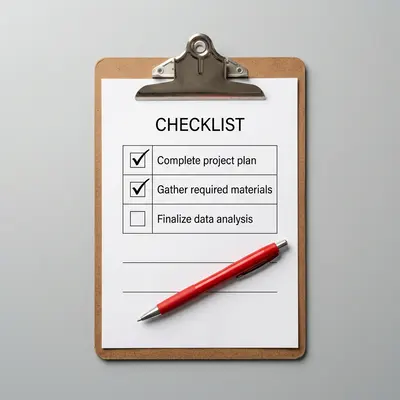
For a printable version of this framework with detailed evaluation criteria, grab our CRM audit checklist for home services companies.
Let's break down each pillar and its direct connection to your bottom line.
CRM Data Quality: The Foundation of Every Dollar You Earn
CRM data quality refers to the accuracy, completeness, and consistency of every record in your system. It's the foundation that every other CRM function depends on — and it's almost universally the weakest area we find during audits of home services businesses.
The Dirty Data Problem in Home Services
Gartner estimates that poor data quality costs organizations an average of $12.9 million annually (2023). Scale that down to a 25-person HVAC or plumbing company, and the impact is still severe. In our testing of contractor CRM databases, we typically find:
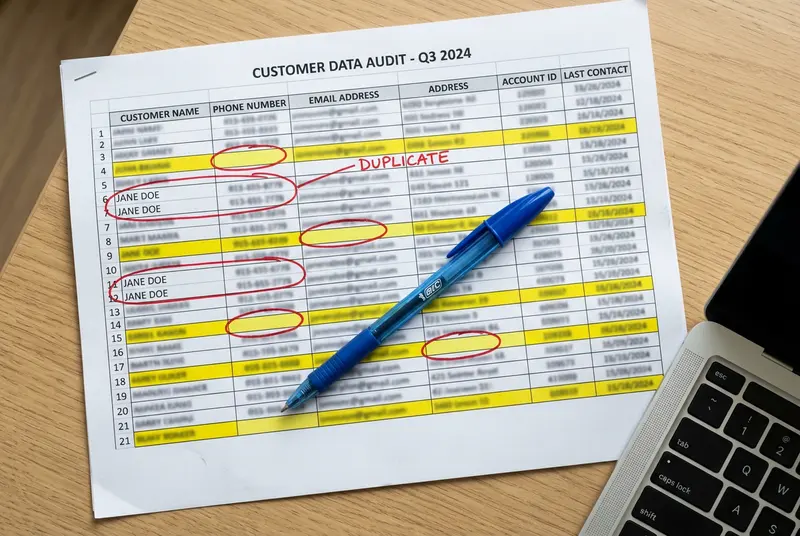
- 15-25% duplicate contact records — the same customer appears under different phone numbers or email variations
- 40-60% of records missing at least one critical field (email, property address, equipment type, or service history)
- 10-20% of phone numbers and emails that are outdated or invalid
Every duplicate wastes marketing dollars. Every missing field reduces your ability to segment and target. Every outdated contact means a follow-up that bounces or reaches a wrong number.
How Dirty Data Kills Revenue
Consider a concrete example. Your office manager runs a CRM campaign to offer spring AC tune-ups to all customers who had heating service last winter. If 20% of those customer records are missing email addresses, 15% are duplicates that receive the message twice (training customers to ignore your emails), and 10% have outdated contact information — you've just cut your campaign's effective reach nearly in half before a single customer opens the message.
That's why CRM data hygiene isn't optional maintenance — it's revenue protection. For a complete walkthrough on fixing these problems, see our guide to CRM data hygiene best practices for contractors.
Data Quality Quick Wins
- Run a duplicate detection report (most CRMs have this built in)
- Export your contact list and check for blank required fields
- Validate email addresses using a free tool like NeverBounce or ZeroBounce
- Standardize address formats so location-based campaigns work correctly
- Set required fields on data entry forms to prevent future gaps
Why Your Sales Pipeline Is Losing Revenue
Your CRM sales pipeline is supposed to be a visual map of every dollar moving through your business. In reality, most home services pipelines are graveyards of forgotten estimates and misclassified leads.
Common Pipeline Problems We Find
During a CRM pipeline management review, these issues appear in almost every audit:
- Undefined stage criteria: What does "Estimate Sent" actually mean? Is it sent via email, handed to the customer on paper, or verbally quoted over the phone? Without clear definitions, every team member uses stages differently — making pipeline data meaningless.
- Stalled deals with no expiration: Estimates from six months ago sitting in "Pending" with no automated follow-up or close-out process. These inflate your pipeline value and distort forecasting.
- Missing pipeline stages: Many contractor CRMs jump from "Lead" to "Estimate" to "Won/Lost" with nothing in between. There's no stage for "Estimate Follow-Up #1," "Negotiation," or "Scheduling." This makes it impossible to identify where deals actually stall.
- No lead source tracking: If your pipeline doesn't capture whether a lead came from Google Ads, a referral, Angi, or a yard sign, you can't calculate CRM ROI for any marketing channel.
The Leaky Funnel in Numbers
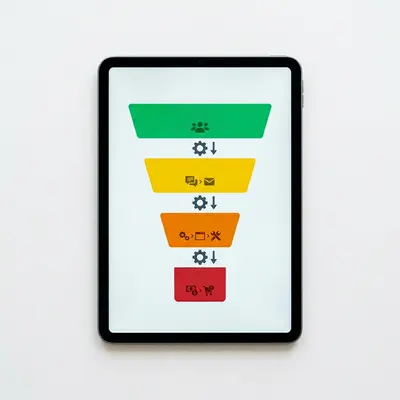
A leaky sales funnel in home services typically looks like this: 100 inbound leads enter the pipeline. 70 receive a response (30% lost immediately to slow follow-up). Of those 70, 50 receive an estimate. Of those 50, only 20-25 receive any follow-up after the initial estimate delivery. The final close rate? Around 15-20 jobs out of the original 100 leads.
Now compare that to a business with a properly audited pipeline: 100 leads, 95 receive a response within 30 minutes (CRM automation handles this), 75 receive estimates, 65 are actively nurtured through a follow-up sequence, and 35-40 convert. That's double the revenue from the same lead volume.
For a deep dive into diagnosing and fixing these specific problems, read our guide on CRM pipeline audit to find revenue leaks.
Automation and Follow-Up Failures That Cost You Bookings
CRM automation is supposed to be the engine that keeps revenue flowing while your team focuses on delivering great service. When it breaks — or was never set up correctly in the first place — bookings silently evaporate.
The Automations Every Home Services CRM Should Have
At minimum, a properly configured operational CRM for a home services business should run these automated workflows:
- Instant lead response: An email or SMS sent within 2 minutes of a new inquiry, confirming receipt and setting expectations for when someone will call back.
- Estimate follow-up sequence: A 3-5 touch sequence (email + SMS + phone task) spread over 7-14 days after an estimate is sent.
- Booking confirmation and reminder: Automated confirmations when a job is scheduled, plus reminders 24 hours and 2 hours before the appointment.
- Post-job review request: An automated message 24-48 hours after job completion asking for a Google review.
- Seasonal maintenance reminders: Annual or semi-annual reminders for AC tune-ups, furnace inspections, gutter cleaning, or other recurring services — the backbone of CRM customer retention.
- Dormant customer re-engagement: A campaign that triggers when a customer hasn't booked service in 12+ months.
Where Automations Fail
In our audits, the most common CRM automation problems aren't missing automations — they're broken ones. Typical failures include:
- Automations that were built correctly but deactivated during a CRM update and never turned back on
- Trigger conditions that no longer match the current pipeline stages (someone renamed a stage and broke the workflow)
- Email templates with outdated company phone numbers, expired offer codes, or broken scheduling links
- SMS workflows hitting carrier spam filters because they lack proper opt-in compliance
- Follow-up sequences that stop after one attempt instead of running the full cadence
Each of these failures is invisible until you audit. No one sees the follow-up that *didn't* send. The customer just never books, and your team assumes they weren't interested.
We cover every automation gap and its fix in our dedicated guide: CRM automation gaps that reduce booking rates.
CRM Adoption: Why Your Team Isn't Using the System
You can have the best CRM system for small business on the market, but if your team doesn't use it consistently, it's just an expensive address book. CRM adoption is the most human — and often most overlooked — pillar of a CRM audit for contractors.
Measuring Adoption (It's More Than Login Rates)
True CRM adoption means every customer-facing team member uses the system as the single source of truth for every interaction. During an audit, we measure adoption across four dimensions:
- Login frequency: How often does each user log in? Daily is the baseline expectation.
- Data entry compliance: Are required fields being completed? Are notes being logged after calls and site visits?
- Feature utilization: Are team members using scheduling, CRM lead management, quoting, and communication tools within the CRM — or relying on sticky notes, personal text messages, and spreadsheets?
- Timeliness: How quickly after an interaction does the data get entered? Same-day entry is the standard; anything beyond 24 hours degrades accuracy.
Why Technicians Resist CRM Usage
Field technicians in HVAC, plumbing, landscaping, and electrical trades often resist CRM data entry for practical reasons:
- The mobile CRM app is slow or difficult to use with dirty hands
- They weren't trained on what to enter or why it matters
- They view data entry as "office work" that takes time away from billable tasks
- There's no accountability — nobody checks whether they completed their entries
The fix isn't punishment. It's a combination of simplified mobile forms (five fields or fewer per job), clear training on how their entries generate their own repeat business leads, and visible accountability through weekly adoption scorecards reviewed in team meetings.
The Revenue Cost of Low Adoption
When technicians don't log upsell opportunities, missed appointment details, or customer preferences, the business loses its ability to do targeted CRM upselling campaigns. Based on our analysis, companies with adoption rates above 85% generate 2.5x more repeat business revenue than those below 50% adoption. That's the difference between a CRM that pays for itself and one that's a pure expense line.
Reporting and Analytics: Are You Making Decisions on Bad Data?
Your CRM dashboard is only as trustworthy as the data behind it. If the previous four audit pillars reveal problems — dirty data, broken pipelines, failed automations, and poor adoption — then every report your CRM generates is unreliable. And unreliable reports lead to bad business decisions.
Reports Home Services Owners Need (But Often Can't Trust)
The essential CRM reports for a home services business include:
- Lead-to-close conversion rate by source: Which marketing channels actually produce booked jobs? Without accurate lead source tagging, this report is fiction.
- Revenue by service category: Which services generate the most profit? Incomplete job records make this impossible to calculate.
- Estimate aging report: How many estimates are more than 7, 14, or 30 days old without a decision? Stalled pipeline stages corrupt this view.
- Customer lifetime value: How much does a typical customer spend over their relationship with your company? This requires complete service history — which low adoption ensures you don't have.
- Technician performance metrics: Revenue generated, jobs completed, upsell rate, and review scores per technician. Missing data entry means some team members look inactive when they're actually your top performers.
The Garbage-In-Garbage-Out Cycle
Here's a scenario we see constantly: A home services owner looks at their CRM dashboard and sees that Google Ads leads have a 10% close rate while referral leads close at 40%. They slash the Google Ads budget and double down on referral programs. Six months later, revenue drops.
The real problem? Their team wasn't tagging Google Ads leads correctly. Many were entered manually without source attribution, miscategorized as "walk-ins" or "other." The actual Google Ads close rate was 28% — their second-best channel — and they cut it based on corrupt data.
A CRM audit catches this before the bad decision happens. It cross-references your CRM data against external sources (Google Ads reports, call tracking software, booking software for home services) to verify that what your CRM shows matches reality.
Getting Started: Running Your First CRM Audit
The CRM audit process doesn't require expensive consultants or weeks of downtime. A focused first audit takes most home services businesses 2-5 days of dedicated effort, depending on team size and data volume.
1. Define Your Audit Scope
Decide which of the five pillars you'll evaluate first. If you've never audited before, start with data quality and pipeline management — they deliver the fastest revenue wins.
2. Pull Your Baseline Metrics
Before changing anything, document where you stand today. Key numbers to capture:
- Total contact records and estimated duplicate percentage
- Number of open/stalled estimates by age
- Lead response time (average and median)
- Close rate by lead source
- Active automation workflows and their last triggered dates
- User login frequency for each team member
3. Score Each Pillar
Use a simple 1-5 scoring system for each audit area. A score of 1 means "fundamentally broken" and 5 means "optimized and producing results." This scoring creates a visual heat map of where to focus first.
4. Identify Your Top 3 Revenue Opportunities
Rank your findings by estimated revenue impact. The goal isn't to fix everything at once — it's to find the three changes that will produce the biggest financial return in the next 90 days.
5. Create an Action Plan With Deadlines
Assign each fix to a specific team member with a completion date. The most common reason CRM audits fail to produce results isn't bad findings — it's that nobody acts on them.
For a detailed methodology with screenshots and templates, follow our how to conduct a CRM audit step-by-step guide.
Not sure whether to handle this yourself or bring in a CRM specialist? Read our comparison on whether to DIY your CRM audit or hire a consultant.
When Your Audit Reveals You Need a New CRM
Sometimes a CRM audit confirms what you suspected: the tool itself is the bottleneck. Not every CRM is built for the unique demands of home services businesses. If your audit reveals fundamental limitations — no mobile app for technicians, no integrated scheduling, no field service dispatch capability — then process fixes alone won't close the gap.
Signs It's Time to Switch
- Your CRM doesn't support field service workflows (dispatching, route optimization, job photos)
- The mobile experience is so poor that technicians refuse to use it
- You've outgrown a cheap CRM or generic small CRM app that was fine for 5 employees but breaks at 20
- Critical integrations are missing (QuickBooks, Google Local Services Ads, your booking software for home services)
- The CRM implementation cost for needed features exceeds the cost of migrating to a purpose-built platform
CRM Tools Worth Evaluating
The home services CRM software market has matured significantly. Purpose-built options now exist for contractors at every size and budget. Whether you need a CRM for HVAC, a CRM for plumbing business, a CRM for landscaping business, or a franchise CRM system that scales across locations, there are platforms specifically designed for your workflows.
We've reviewed and compared the top options — including affordable CRM for small business budgets, the best CRM for construction operations, and sales CRM for small business growth — in our comprehensive comparison: best CRM software for home services businesses.
The key takeaway: always audit first, switch second. An audit gives you a clear requirements list so you choose the right tool instead of repeating the same problems with different software.
Measuring the Results of Your CRM Audit
An audit without measurement is just an exercise. To know whether your CRM audit actually created revenue, you need to track specific metrics before, during, and after implementation of your fixes.
Core Metrics to Track
| Metric | Pre-Audit Baseline | 30-Day Post-Audit | 90-Day Post-Audit |
|---|---|---|---|
| Lead response time (avg) | Record baseline | Target: < 15 min | Target: < 5 min |
| Estimate-to-close rate | Record baseline | Target: +5% | Target: +10-15% |
| Recovered stalled estimates | N/A | Track reactivated deals | Measure closed revenue |
| Repeat customer booking rate | Record baseline | Monitor campaign sends | Target: +20% |
| CRM adoption score | Record baseline | Target: 70%+ | Target: 85%+ |
| Data quality score (completeness) | Record baseline | Target: 80%+ | Target: 90%+ |
How to Calculate CRM ROI
The formula for measuring CRM ROI after an audit is straightforward:
CRM Audit ROI = (Revenue Gained from Audit Fixes − Cost of Audit) ÷ Cost of Audit × 100
Cost of audit includes staff time (hours × hourly rate), any consultant fees, and tool subscriptions used specifically for the audit. Revenue gained includes recovered estimates, increased close rates, and new repeat business tracked in the CRM.
Most home services businesses that complete a thorough audit see positive ROI within 60-90 days. Some see it within weeks — particularly when they recover a backlog of abandoned estimates with a simple follow-up campaign.
For the complete measurement framework with templates and calculation examples, visit our guide on how to measure ROI after your CRM audit.
Frequently Asked Questions
How often should a home services business conduct a CRM audit?
Conduct a full CRM audit at least twice per year — once before your busy season and once after. Mini-audits focused on data quality and pipeline health should happen monthly. Businesses experiencing rapid growth or staff turnover should audit quarterly to catch adoption gaps early.
What does a CRM audit cost?
A DIY CRM audit costs only your team's time — typically 15-30 hours of staff effort for a mid-sized company. Hiring a CRM consultant or CRM specialist for a professional audit ranges from $1,500 to $5,000 depending on CRM complexity and database size. Either approach typically pays for itself within 60-90 days through recovered revenue.
Can I audit my CRM if I'm not technical?
Yes. The data quality and pipeline management pillars require no technical skills — just the ability to export data to a spreadsheet and look for patterns. Automation and integration audits may require help from your CRM vendor's support team or a consultant, but the diagnostic questions are straightforward enough for any office manager to ask.
What's the difference between a CRM audit and a CRM health check?
A CRM health check is a lighter, faster evaluation — usually focused on data quality and system performance. A full CRM audit is more comprehensive, covering all five pillars (data, pipeline, automation, adoption, and reporting) and tying each finding to specific revenue impact. Think of a health check as a blood pressure reading and an audit as a full physical with lab work.
Will a CRM audit tell me if I need different CRM software?
Yes. One of the most valuable outcomes of a CRM audit is a clear-eyed assessment of whether your current tool meets your business needs. If the audit reveals that your key problems are process-related, you can fix them without switching platforms. If the problems are platform limitations — missing mobile capabilities, no field service features, or inadequate automation — the audit gives you a specific requirements list for evaluating alternatives.
How is a CRM different from an ERP system?
CRM (Customer Relationship Management) focuses on managing customer interactions, leads, and sales pipelines. ERP (Enterprise Resource Planning) manages back-office operations like accounting, inventory, and HR. Home services businesses typically need a CRM for customer-facing revenue activities. The ERP vs CRM distinction matters during an audit because some contractors try to use their accounting software as a CRM, which creates the data gaps an audit would uncover.
Next Steps: Turn Your Audit Into Action
A CRM audit isn't a one-time project — it's a revenue discipline. The home services businesses that consistently outperform their competitors treat their CRM the same way they treat their fleet: regular inspections, preventive maintenance, and immediate action when something breaks.
Here's your action plan based on where you are right now:
- Never done a CRM audit? Start with our step-by-step guide to conducting your first CRM audit and download the CRM audit checklist for home services companies.
- Know your CRM has problems but don't have time to fix them yourself? Read our guide on whether to DIY your CRM audit or hire a consultant.
- Already completed an audit and want to prove the ROI? Follow our framework for measuring ROI after your CRM audit.
- Suspect your pipeline is the biggest problem? Jump directly to our CRM pipeline audit guide to find revenue leaks.
- Thinking about switching CRM platforms? Don't switch until you've compared options: best CRM software for home services businesses.
The revenue is already in your CRM. The leads are there. The customer data is there. The estimate history is there. A CRM audit is simply the process of unlocking what's been trapped inside a system that isn't working as hard as you are.
Stop paying for a CRM that costs you money. Start running one that creates it.
Frequently Asked Questions
How often should a home services business conduct a CRM audit?
Conduct a full CRM audit at least twice per year — once before your busy season and once after. Mini-audits focused on data quality and pipeline health should happen monthly. Businesses experiencing rapid growth or staff turnover should audit quarterly to catch adoption gaps early.
What does a CRM audit cost?
A DIY CRM audit costs only your team's time — typically 15-30 hours of staff effort for a mid-sized company. Hiring a CRM consultant or CRM specialist for a professional audit ranges from $1,500 to $5,000 depending on CRM complexity and database size. Either approach typically pays for itself within 60-90 days through recovered revenue.
Can I audit my CRM if I'm not technical?
Yes. The data quality and pipeline management pillars require no technical skills — just the ability to export data to a spreadsheet and look for patterns. Automation and integration audits may require help from your CRM vendor's support team or a consultant, but the diagnostic questions are straightforward enough for any office manager to ask.
What's the difference between a CRM audit and a CRM health check?
A CRM health check is a lighter, faster evaluation — usually focused on data quality and system performance. A full CRM audit is more comprehensive, covering all five pillars (data, pipeline, automation, adoption, and reporting) and tying each finding to specific revenue impact. Think of a health check as a blood pressure reading and an audit as a full physical with lab work.
Will a CRM audit tell me if I need different CRM software?
Yes. One of the most valuable outcomes of a CRM audit is a clear-eyed assessment of whether your current tool meets your business needs. If the audit reveals that your key problems are process-related, you can fix them without switching platforms. If the problems are platform limitations, the audit gives you a specific requirements list for evaluating alternatives.
How is a CRM different from an ERP system?
CRM (Customer Relationship Management) focuses on managing customer interactions, leads, and sales pipelines. ERP (Enterprise Resource Planning) manages back-office operations like accounting, inventory, and HR. Home services businesses typically need a CRM for customer-facing revenue activities. The ERP vs CRM distinction matters during an audit because some contractors try to use their accounting software as a CRM, which creates data gaps.
Matt Adams
CRM consultant and founder of MapMatix, helping home service businesses optimize their technology stack for growth.