Choosing the wrong CRM is expensive. Not just in subscription fees—but in wasted implementation time, frustrated employees, lost productivity, and the eventual cost of switching to something else.
According to CRM.org, 91% of companies with 10 or more employees now use CRM software. But research consistently shows that 30-70% of CRM implementations fail to meet their objectives, with many studies placing the failure rate around 50%. That’s not a technology problem—it’s a selection and implementation problem.
This guide will help you avoid becoming a statistic. You’ll learn exactly how to evaluate CRM options, what questions to ask, and how to make a decision that serves your business for years to come.
Already overwhelmed by options? Schedule a free CRM consultation →
 Business team discussing and defining CRM requirements in meeting — Before looking at any CRM, get clear on what you actually need
Why CRM Selection Matters
A CRM isn’t just software—it’s the operating system for your customer relationships. Every interaction, every deal, every follow-up flows through it. Choose well, and your team becomes more efficient, your data becomes more valuable, and your customer relationships improve. Choose poorly, and you create friction at every turn.
The ROI of Getting It Right
When CRM works, the numbers are compelling. According to Nucleus Research, businesses see an average return of $8.71 for every $1 spent on CRM software. Salesforce research shows that CRM applications can increase sales by up to 29%, boost productivity by 34%, and improve forecast accuracy by 42%.
But those numbers assume you chose the right CRM and implemented it properly. The high failure rate tells a different story for businesses that rushed the selection process.
The Cost of Getting It Wrong
When CRM selection goes wrong, you face:
- Wasted implementation costs — Setup, customization, data migration, and training investments lost
- Productivity loss — Teams working around a tool instead of with it
- Data quality degradation — Information scattered across systems or entered inconsistently
- Opportunity costs — Deals lost while struggling with inadequate tools
- Switching costs — Starting over with a new system 12-24 months later
The average CRM implementation costs $5,000-$50,000+ depending on complexity. Doing it twice doubles that investment—plus the hidden costs of disruption and lost momentum.
Step 1: Define Your Requirements
Before you look at any CRM, get clear on what you actually need. This isn’t about listing every possible feature—it’s about understanding your specific situation.
Questions to Answer First
About your sales process:
- How do leads enter your pipeline? (Website forms, referrals, cold outreach, advertising)
- What stages do deals move through before closing?
- Who’s involved in the sales process? (Individual reps, teams, managers)
- What’s your average deal size and sales cycle length?
- Do you sell one product or multiple products/services?
About your team:
- How many people will use the CRM daily?
- What’s their technical comfort level?
- Have they used CRM before? What worked or didn’t?
- Do they work from an office, remotely, or in the field?
- Who will administer and maintain the system?
About your current tools:
- What software do you already use? (Email, calendar, accounting, marketing)
- Which integrations are non-negotiable?
- Where does customer data currently live?
- What manual processes would you like to automate?
About your goals:
- What specific problems are you trying to solve?
- What would success look like in 6 months? 12 months?
- How do you expect to grow in the next 2-3 years?
- What’s your budget range (including implementation)?
Create Your Requirements Document
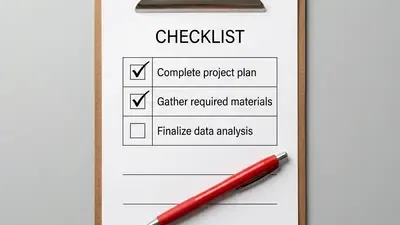
Write down your answers. Organize them into three categories:
- Must-haves — Features and capabilities you absolutely require
- Should-haves — Important but not dealbreakers
- Nice-to-haves — Would be great but can live without
This document becomes your evaluation framework. Every CRM you consider gets measured against these specific requirements—not against generic feature lists or marketing claims.
Not sure what you need? Let’s map out your requirements together →
 Professional thoughtfully evaluating CRM software options on computer — Focus on what you’ll actually use, not what sounds impressive in a demo
Step 2: Understand CRM Types
Not all CRMs are built for the same purpose. Understanding the categories helps you narrow your options before diving into specific products.
By Primary Function
Sales-focused CRMs Built around pipeline management, deal tracking, and sales team productivity. Strong on contact management, activity logging, and sales reporting. Examples: Pipedrive, Close, Freshsales.
Best for: Sales-driven organizations where marketing is handled separately or externally.
Marketing-focused CRMs Emphasize lead generation, email marketing, campaign management, and marketing automation. Sales features exist but aren’t the priority. Examples: ActiveCampaign, Mailchimp CRM.
Best for: Marketing agencies, e-commerce businesses, companies with long nurture cycles.
All-in-one platforms Combine sales, marketing, service, and operations tools in a unified system. More complex but eliminate the need for multiple tools. Examples: HubSpot, Zoho CRM, Salesforce.
Best for: Growing businesses wanting a single platform, companies where sales and marketing need tight alignment.
Industry-specific CRMs Built for specific verticals with industry-relevant features, terminology, and workflows. Examples: ServiceTitan (home services), Clio (legal), Propertybase (real estate).
Best for: Businesses in industries with specialized needs that horizontal CRMs don’t address well.
By Business Size
Small business/Startup CRMs Prioritize simplicity, quick setup, and affordable pricing. May lack advanced features but excel at core functionality. Usually no dedicated admin required.
Mid-market CRMs Balance power with usability. Offer more customization and automation without requiring a technical team. Often scale well from 10-500 users.
Enterprise CRMs Maximum customization, complex workflows, advanced security, and compliance features. Typically require dedicated administrators and longer implementation timelines.
By Deployment
Cloud-based (SaaS) Hosted by the vendor, accessed via browser. Automatic updates, no infrastructure to manage, accessible anywhere. The dominant model today—87% of CRM systems are cloud-based.
On-premise Installed on your own servers. More control over data but requires IT infrastructure and maintenance. Increasingly rare except for specific compliance requirements.
Step 3: Evaluate Key Features
Once you know your requirements and CRM type, evaluate specific features. Focus on what you’ll actually use, not what sounds impressive in a demo.
Contact and Company Management
The foundation of any CRM. Look for:
- Contact records — How much information can you store? Custom fields available?
- Company records — Can you link contacts to companies? Track company-level data?
- Relationship mapping — Can you see connections between contacts and deals?
- Duplicate management — How does the system handle duplicates?
- Import/export — How easy is it to get data in and out?
Pipeline and Deal Management
How you track opportunities from lead to close:
- Visual pipeline — Can you see deals at a glance? Drag-and-drop between stages?
- Custom stages — Can you define stages that match your actual sales process?
- Multiple pipelines — If you sell different products or services, can you track them separately?
- Deal properties — What information can you track on each deal?
- Forecasting — Can you predict future revenue based on pipeline data?
Activity Tracking
How the CRM logs interactions:
- Email integration — Does it sync with Gmail/Outlook? Log emails automatically?
- Calendar sync — Can you schedule meetings and see them in the CRM?
- Call logging — How do you record phone calls and notes?
- Activity reminders — Can you set tasks and follow-up reminders?
- Activity history — Can you see a complete timeline of interactions per contact?
Automation
How much manual work the CRM eliminates:
- Workflow automation — Can you trigger actions based on events? (e.g., send email when deal moves to stage)
- Task automation — Can you automatically create follow-up tasks?
- Lead assignment — Can leads be automatically routed to the right rep?
- Data entry automation — Does the CRM populate information automatically?
Reporting and Analytics
How you measure performance:
- Standard reports — What reports are built-in? Are they useful?
- Custom reports — Can you build reports specific to your business?
- Dashboards — Can you visualize key metrics at a glance?
- Export capabilities — Can you get data out for further analysis?
- Goal tracking — Can you set and track targets?
Mobile Access
For teams working outside the office:
- Mobile app quality — Is there a native app? How usable is it?
- Offline access — Can you access data without internet?
- Mobile-specific features — Can you log calls, scan business cards, etc.?
Step 4: Compare Pricing Realistically
CRM pricing is notoriously confusing. Advertised prices rarely tell the full story. Here’s how to calculate what you’ll actually pay.
Understanding Pricing Models
Per-user pricing Most common model. You pay for each person who uses the system. Prices typically range from $10-$300+ per user per month depending on the tier.
Tiered pricing Different feature sets at different price points. Essential features might be cheap; the features you need might require a higher tier.
Flat-rate pricing One price for unlimited users. Less common but can be economical for larger teams.
Usage-based pricing Price varies based on contacts stored, emails sent, or other usage metrics. Can be unpredictable.
The Real Cost Calculation
When comparing CRMs, calculate total cost of ownership:
Year 1 costs:
- License fees (monthly × 12 × users)
- Implementation/onboarding fees
- Data migration costs
- Training costs
- Integration setup costs
- Customization costs
Ongoing annual costs:
- License fees
- Add-ons and upgrades
- Administration time (internal staff or consultants)
- Training for new employees
- Storage overages or usage fees
Pricing Comparison: Popular CRMs
Based on current pricing (December 2024):
| CRM | Entry Tier | Mid Tier | Top Tier |
|---|---|---|---|
| HubSpot | Free / $20/user/mo (Starter) | $100/user/mo (Professional) | $150/user/mo (Enterprise) |
| Pipedrive | $14/user/mo (Essential) | $24/user/mo (Advanced) | $49/user/mo (Professional) |
| Salesforce | $25/user/mo (Starter) | $175/user/mo (Enterprise) | $330/user/mo (Unlimited) |
| Zoho CRM | Free (3 users) / $14/user/mo | $40/user/mo (Enterprise) | $52/user/mo (Ultimate) |
Prices based on annual billing as of December 2024. Visit vendor sites for current pricing. Sources: HubSpot pricing, Pipedrive pricing, Salesforce pricing
Hidden Costs to Watch For
- Onboarding fees — Some platforms charge $1,500-$5,000+ for required onboarding
- Minimum seats — Professional tiers may require 3-5 seat minimums
- Feature add-ons — Key features priced separately from base subscription
- API limits — Integration costs for exceeding API call limits
- Storage limits — Fees for additional file or data storage
- Support tiers — Premium support often costs extra
Need help calculating true costs? Get a personalized pricing comparison →
Step 5: Assess Ease of Use
The best CRM is one your team will actually use. Ease of use directly impacts adoption, and adoption determines ROI.
Why Usability Matters More Than Features
According to CRM.org, sales teams spend only 18% of their time using CRM applications. The more friction in the interface, the less time they’ll invest—and the less value you’ll get.
Research from Aberdeen Group shows that top-performing sales organizations are 81% more likely to use their CRM consistently. That consistency comes from systems that feel helpful rather than burdensome. For strategies on improving adoption, see our guide on getting your team to actually use the CRM.
What to Evaluate
Learning curve
- How quickly can a new user become productive?
- What training is required? Days or hours?
- Are there guided tutorials built in?
Daily workflow
- How many clicks to log a call or update a deal?
- Does the interface match how your team actually works?
- Can common tasks be completed quickly?
Navigation
- Can users find what they need intuitively?
- Is the information architecture logical?
- How easy is it to search and filter data?
Customization vs. complexity
- Can you adapt the interface to your needs?
- Does customization make things better or more confusing?
How to Test Usability
- Get hands-on — Don’t just watch demos. Use the product yourself.
- Test with real scenarios — Create actual contacts, log real activities, build your pipeline
- Involve your team — Have future users try it, not just decision-makers
- Time common tasks — How long does it take to do things you’ll do daily?
- Check mobile experience — If your team is mobile, test on phones
Usability Red Flags
- Demos that only show ideal scenarios
- Excessive training requirements (more than 1-2 days)
- Users need to “get used to it” or “learn to love it”
- Simple tasks require multiple steps or screens
- Different team members struggle with the same things
 Team members hands-on testing CRM software during free trial period — Always test with your data, your workflows, and your team before committing
Step 6: Check Integration Capabilities
Your CRM doesn’t exist in isolation. It needs to connect with the other tools your business relies on.
Critical Integrations to Verify
Email and calendar
- Gmail and Google Calendar
- Outlook and Microsoft 365
- How deep is the sync? One-way or two-way?
Marketing tools
- Email marketing platforms
- Marketing automation
- Landing page builders
- Social media management
Communication tools
- Phone systems (VoIP)
- Video conferencing (Zoom, Teams)
- Chat and messaging (Slack, Teams)
- SMS platforms
Financial tools
- Accounting software (QuickBooks, Xero)
- Payment processing
- Invoicing tools
- Proposal software
Support tools
- Help desk software
- Live chat
- Knowledge base platforms
Evaluating Integration Quality
Not all integrations are created equal:
Native integrations Built by the CRM vendor. Usually most reliable and feature-rich. Look for these first.
Third-party integrations (via marketplace) Built by partners or the connected tool. Quality varies. Check reviews and update frequency.
Zapier/Make.com connections Middleware that connects tools without native integration. Works but adds cost, complexity, and potential failure points. See our Zapier vs Make.com comparison for help choosing between these platforms.
API/custom integrations Build your own connections. Maximum flexibility but requires development resources.
Questions to Ask
- Does a native integration exist for my critical tools?
- Is the integration real-time or does it sync periodically?
- What data flows between systems? All of it or just some?
- What happens when the integration breaks? How is it monitored?
- Are there additional costs for integrations?
According to Freshworks research, 19% of companies cite lack of integration as a major CRM challenge. Don’t become part of that statistic—verify integrations work as needed before committing.
Step 7: Plan for Implementation
How you implement the CRM matters as much as which CRM you choose. Poor implementation is a leading cause of CRM failure.
Implementation Approaches
Self-service implementation You handle setup, data migration, and training internally. Works for simpler CRMs and technically capable teams. Lowest cost but highest risk of mistakes.
Guided implementation Vendor provides onboarding support, templates, and best practices. You do the work with expert guidance. Good balance of cost and support.
Full-service implementation Consultant or agency handles everything. Data migration, customization, integration setup, and training. Highest cost but best outcomes for complex requirements.
Implementation Timeline Expectations
| CRM Complexity | Self-Service | Guided | Full-Service |
|---|---|---|---|
| Simple (Pipedrive, basic HubSpot) | 1-2 weeks | 2-4 weeks | 4-6 weeks |
| Moderate (HubSpot Pro, Zoho) | 2-4 weeks | 4-8 weeks | 6-12 weeks |
| Complex (Salesforce, Enterprise) | Not recommended | 8-12 weeks | 3-6 months |
Key Implementation Steps
- Data preparation — Clean existing data before migrating. Garbage in, garbage out. See our CRM data cleanup guide for a step-by-step approach.
- Configuration — Set up pipeline stages, custom fields, and user permissions
- Integration setup — Connect critical tools and verify data flows correctly
- Data migration — Import contacts, companies, deals, and history
- Testing — Verify everything works before going live
- Training — Ensure users know how to use the system effectively
- Launch — Go live with support resources ready
- Optimization — Refine based on actual usage patterns
Implementation Success Factors
- Executive sponsorship — Leadership actively supports and uses the CRM
- Clear ownership — Someone is accountable for implementation success
- Realistic timeline — Rushing leads to shortcuts that cause problems later
- User involvement — Future users have input into setup and provide feedback
- Change management — Address resistance and communicate benefits clearly
Common CRM Selection Mistakes
Learn from others’ failures. These mistakes account for most CRM disappointments.
Mistake #1: Choosing Based on Features You Won’t Use
The CRM with the most features isn’t the best CRM—it’s often the most overwhelming. Choose based on what you’ll actually use in the next 12 months, not hypothetical future needs.
Mistake #2: Ignoring User Adoption
A powerful CRM that nobody uses has negative ROI. Prioritize usability over power. The best CRM is one your team will actually use consistently.
Mistake #3: Underestimating Total Cost
That $20/user/month CRM might cost $200/user/month once you add required tiers, integrations, and support. Calculate total cost of ownership, not just license fees.
Mistake #4: Skipping the Trial
Demos show ideal scenarios. Real trials reveal actual experience. Always test with your data, your workflows, and your team before committing.
Mistake #5: Choosing Based on Brand Alone
“Nobody gets fired for buying Salesforce” is outdated thinking. The best CRM depends on your specific situation—not on market share or brand recognition.
Mistake #6: Neglecting Data Quality
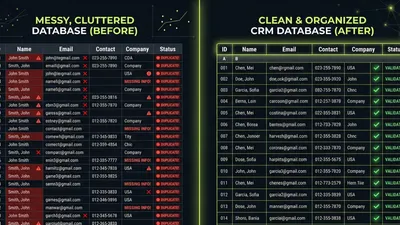
Migrating messy data into a new CRM doesn’t clean it—it spreads the mess to a new system. Clean your data before you migrate.
Mistake #7: Overcomplicating from Day One
Starting with every feature enabled, every automation running, and every customization possible is a recipe for confusion. Start simple. Add complexity as you master basics.
Mistake #8: Not Planning for Growth
Choose a CRM that can grow with you. Switching systems every 18 months is expensive and disruptive. Think 2-3 years ahead.
CRM Comparison Quick Reference
Based on the content strategy’s positioning matrix:
| CRM | Best For | Price Range | Complexity | Strengths |
|---|---|---|---|---|
| HubSpot | Growing SMBs, marketing-driven sales | Free - $$$$ | Medium | All-in-one platform, ease of use, free tier |
| Pipedrive | Sales-focused teams wanting simplicity | $ - $$ | Low | Visual pipeline, intuitive interface, quick setup |
| Zoho | Budget-conscious businesses, feature seekers | $ - $$$ | Medium | Value for money, extensive features, customization |
| Salesforce | Enterprise, complex requirements | $$$ - $$$$ | High | Maximum customization, ecosystem, scalability |
| ServiceTitan | Home services field operations | $$$ | Medium-High | Industry-specific features, dispatching, field tech tools |
When to Choose Each
Choose HubSpot if:
- Marketing and sales alignment is important
- You want an all-in-one platform
- Ease of use is a priority
- You’re starting with a free CRM and want room to grow
Read our full HubSpot vs Salesforce comparison →
Choose Pipedrive if:
- You need a sales-focused CRM without marketing complexity
- Your team values simplicity over feature depth
- You want quick setup with minimal training
- Budget is a significant factor
Choose Zoho if:
- You need lots of features at a lower price
- You’re willing to invest time in configuration
- You want an ecosystem of integrated Zoho tools
- You have technical resources for customization
Choose Salesforce if:
- You have complex sales processes with multiple stakeholders
- You need maximum customization capabilities
- You have dedicated admin resources
- You’re enterprise-scale or heading there quickly
Making Your Final Decision
You’ve done the research. Now it’s time to decide.
The Decision Framework
Step 1: Eliminate non-starters Which CRMs fail to meet your must-have requirements? Remove them from consideration.
Step 2: Score remaining options Rate each CRM against your requirements (must-haves, should-haves, nice-to-haves). Be honest about fit.
Step 3: Calculate true costs For your top 2-3 options, calculate total cost of ownership over 3 years including implementation.
Step 4: Test finalists Run trials with real data and real users. Document what works and what doesn’t.
Step 5: Make the call Choose the CRM that best meets your requirements, fits your budget, and your team will actually use.
Questions for Your Final Decision
- Does this CRM solve our specific problems?
- Can our team use this effectively with reasonable training?
- Does the total cost fit our budget over 3 years?
- Will this CRM grow with us?
- Can we implement this successfully with our resources?
- Would I choose this CRM again in 12 months?
What If You’re Still Stuck?
If you’ve done the work and still can’t decide:
- Pilot one option — Sometimes you need to try to know. Pick the frontrunner and commit to a 90-day pilot.
- Get outside perspective — Someone who’s seen many CRM implementations can often see what you’re missing.
- Revisit your requirements — If no CRM fits well, maybe your requirements need adjustment.
 Confident business leader making final CRM selection decision — The best CRM is the one your team will actually use consistently
Key Takeaways
- CRM selection is a business decision, not a technology decision—get requirements right first
- 30-70% of CRM implementations fail, usually due to poor selection or implementation, not software quality
- Calculate total cost of ownership, not just license fees—hidden costs add up
- Usability drives adoption, and adoption determines ROI—prioritize ease of use
- Test with real data and real users before committing
- Plan implementation carefully—how you deploy matters as much as what you deploy
- Think 2-3 years ahead—switching CRMs is expensive and disruptive
- The best CRM is the one your team will actually use consistently
What to Do Next
Choosing a CRM is a significant decision. Don’t rush it—but don’t let analysis paralysis stall your progress either.
Your next steps:
- Complete the requirements exercise — Answer the questions in Step 1 and create your requirements document
- Narrow to 3-4 options — Based on your requirements and the comparisons in this guide
- Run hands-on trials — Test your finalists with real scenarios
- Calculate total costs — Get accurate 3-year cost projections for your top choices
- Make a decision — Set a deadline and commit
Need help working through this process? We’ve guided hundreds of businesses through CRM selection and implementation. Whether you need a second opinion on your shortlist or full support through the decision, we can help.
Already have a CRM but not sure it’s working? Get a free CRM assessment to see what’s under the hood before making any big decisions.
Matt Adams
Matt Adams is the Founder of MapMatix, an Australian living in Idaho who's passionate about all things automation and AI. He helps businesses streamline their operations through smarter CRM implementations and workflow automation.